|
There are currently no product reviews.
 ;
manual de usuario perfecto y completo de buena calidad de impresion y muy detallado ideal !
 ;
It`s full copy of a service manual from url http://www.philips.owner-manuals.com/PM3216-service-manual-PHILIPS.html
;
perfect! you just sent to me the copy in Italian witout even my specification!!!! so you are really smart cooperative and efficient. To my opinion the best place all over to get a manual of electronics!!!!
;
Well Well Well!!!! Good manual perfect for my hobby!!! As Before you have done a very well done work!!!! Thank you
;
Super nice! Good to have a manual in digital format.
The Radio
Presetting radio stations
You can store radio stations into the player�s memory. You can preset up to 20 radio stations, 10 for each band in any order.
PRESET � BAND PRESET + DISPLAY ENTER MEM
The Radio
On the remote 1 Press BAND to select the band. 2 Set the frequency to the station you want. 3 Hold down the number buttons that you want to preset the new station on for 2 seconds. The frequency digits flash in the display and the station is stored into the player�s memory.
1 2 3 4 5
Press BAND until the band you want appears in the display. Set the frequency to the station you want. Hold down DISPLAY�ENTER MEM for 2 seconds. Press PRESET + or � until the preset number (1 to 10) you want for the station flashes in the music calender. Press DISPLAY� ENTER MEM again. The new station replaces the old one.
The Radio
19
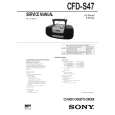 $4.99 CFDS47 SONY
Service Manual Complete service manual in digital format (PDF File). Service manuals usually contains circuit diagr…
|










