|
|
|
Categories
|
|
Information
|
|
Featured Product
|
|
|
 |
|
|
There are currently no product reviews.
 ;
It is perfect, exactly what we needed. It's like the paper version but less clutter.
 ;
Received my manual within 24 hours. Very clear scan of the manual I needed. Thanks!
;
Very clear scan, I recommend it. Definitely a must have for any 3362 owner.
Alpine could have written a slightly more complete manual, though. It's already pretty huge, but the unit has so many functions, I feel some more explanation would have been better.
Yamaha's manual of their comparable YDSP-1 is a little better in my opinion.
;
Immediate response with excellent service - highly reccommended
;
Correct manual received and of good quality but the contents of the file for the Service Manual for the same monitor is for a 20" TV not the RGB Monitor.
Maintenance
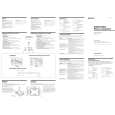
Cleaning the lens If the lens becomes dirty, it may cause a skipping of sound during CD operation. Clean with a commercially available blower. Cleaning the tape heads and tape path Wipe the heads, the pinch roller and the capstan with a cleaning swab slightly moistened with cleaning fluid or alcohol after every 10 hours of operation for optimum playback and recording quality. To make the best possible recording, however, we recommend that you clean all surfaces over which tape travels before each recording.
Record/playback head Capstan
Demagnetizing the tape heads After 20 to 30 hours of use, enough residual magnetism will have built up on the tape heads to begin to cause loss of high frequency sound and hiss. At this time, you should demagnetize the heads and all metal parts in the tape path with a commercially available tape head demagnetizer.
Cleaning the cabinet Clean the cabinet, panel and controls with a soft cloth slightly moistened with a mild detergent solution. Do not use any type of abrasive pad, scouring powder, or solvent, such as alcohol or benzine.
Erase head
Pinch roller
Lens
After cleaning, insert a tape when the areas cleaned are completely dry.
Additional Information
23
|
|
|
> |
|