|
|
|
Categories
|
|
Information
|
|
Featured Product
|
|
|
 |
|
|
There are currently no product reviews.
 ;
Having bought a pre-owned Sony FM stereo tuner through eBay, it came without any manuals. It soon became clear that to get the best from this excellent tuner I needed a decent manual because much of the operation was not intuitive to a newboy to hi fi like me. I managed to download the official Sony multi-lingual manual from Owner-Manuals.com with no problem at all - a really quick and easy service. I'm very glad I did because I found out all the operations of the tuner and was then able to not only set it up quickly but also to get much more from it that poke-and-hope trialling would ever achieve. In my book $4.99 very well spent.
;
This manual is immaculate in it's accuracy. Everything is written very clearly and easy to understand. Written by a professional who wants to convey a clear and easy to understand message!!
;
This Manual (as downloaded) is both informative and comprehensive and has proved to be extremely useful. thoroughly recommended.
;
everything is ok, thank you very much! Product is good, no problems with download!
;
Great site, I always find all the manuals I need and i can't find anywhere else. PDF for the Sony PCM 3348 is complete and scan is good quality. Thank you!
6
Set the volume by pressing TIME SET + or �, then DISPLAY ENTER.
Tips � To exit the standby mode, press STANDBY to make the t indication disappear from the display. � The preset settings remain until you reset them.
7
Press STANDBY. The t indication lights up; the player enters the standby mode. At the preset time, the power will go on, and the music will play. Then the power will go off at the preset time, and the player will enter into the standby mode.
To check/change the waking up timer settings Press TIMER , then DISPLAY ENTER. Each time you press DISPLAY ENTER, a stored setting is displayed in the set order. To change the setting, display the setting you want to change and re-enter it. To use the player before a timer playback starts Just turn on the player, and then you can use it. If you turn off the player before the preset time, timer playback will start at the preset time. In case of the radio, however, if you listen to the station which is different from the one you tuned in in step 1 on page 20, you will hear that station at the preset time. Make sure to tune in the station you want to listen to before you turn off the player. To stop play Press POWER to turn off the power.
The Timer
21
The Timer
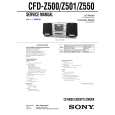 $4.99 CFDZ501 SONY
Service Manual Complete service manual in digital format (PDF File). Service manuals usually contains circuit diagr…
|
|
|
> |
|