|
There are currently no product reviews.
 ;
hat alles sehr gut geklappt. Das Servicemaual ist gut zu verwenden. Die Pläne und Schrift
ist klar und leserlich. Außerdem preiswert. Grüße an alle Hifi-Bastler
;
I got the manual quickly after the payment was transfered (1 day). The manual was exactly what i needed and the updates via e-mail were great. Thanx!
;
I've looked for this manual all over that internet, you guys had it and to a good price. A++++
;
I've looked some time for this manual, you guys had it and to a good price. A++++
 ;
factory technician level - complete with board views :
( removing chassis from cabinet , only thing missing ) ;
on weekends , staff is not available so - be patient .
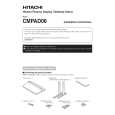
After assembling, connect the stand to the floor to prevent from falling over.
â� Stabilizing to the floor
� Use screws (sold separately) to attach and stabilize the stand.
â� Sample use of the stabilization bolts
1. Attach the stabilization bolts that come with the plasma display. 2. Stabilize the display by connecting to a wall or standing beam with a strong cord. (Repeat the same steps in the laterally direction to stabilize the assembly to the left and right.) Use cord and hooks that are available on the market (sold separately).
1 2
â� Installation coordinates for screws used to stabilize the stand to the floor
* When stabilizing the stand to the floor, use M6 with a length above 20 mm (25/32 inch). Units: mm (inch)
248(9-3/4)
485(19-3/32)
11.5(7/16)
�5�
275(10-13/16) 64(2+17/32)
|