|
|
|
Categories
|
|
Information
|
|
Featured Product
|
|
|
 |
|
|
There are currently no product reviews.
 ;
complete part-lists and pcb layout, schematic diagram is good enlargable,
;
Excellent, fast delivery, excellent product. Good luck!
;
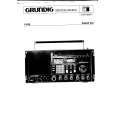
This manual is for the usa model only. But it is clear
, accurate and comprehensive, including board layouts and schematics.
I found it extremely useful for my mitsubishi dp-86da, but the same diagram would also work for the realistic lab5000 and hi fi 80. Thanks.
;
Great to have extra resources for Service Manuals, Now days you can really not trouble shoot efficiently without one , Wayne at IRIONS TV & ELECTRONICS REPAIR Clearwater , Fl. 33755 727-446-7955
 ;
For five bucks you can barely buy a hamburger. Or for the same five bucks you can buy a service manual. Much more useful. (and better for your health, depending on where you buy your hamburgers).
Yes, there are free manual sites out there, but if they don't have what you want, you have to pay.
And five bucks isn't much. Not for full specs, schematics and adjustment and parts replacement procedures.
My only criticism is that grayscale illustrations aren't well rendered, but I've seen worse.
Schematics and text are clear.
I'll be happy to purchase from here again.
Mike
[email protected]
Alignment and Adjustments
4-2-5 RESET
The Reset Mode is used during factory inspection. Function Reset: 1. 2. 3. 4. 5. 6. 7. 8. 9. Channels Sort System Timer Blue Screen Child Lock Picture Volume CH. Skip Add/Erase Non Auto off off off standard 10 Erased
4-3 Other Adjustments
4-3-1 General
1. Usually, a color TV needs only slight touchup adjustment upon installation. Check the basic characteristics such as height, horizontal and vertical sync and focus. 2. The picture should have good black and white details. There should be no objectionable color shading; if color shading is present, perform the purity and convergence adjustments described below. 3. Use the specified test equipment or its equivalent. 4. Correct impedance matching is essential. 5. Avoid overload. Excessive signal from a sweep generator might overload the front-end of the TV. When inserting signal markers, do not allow the marker generator to distort test results. 6. Connect the TV only to an AC power source with voltage and frequency as specified on the backcover nameplate. 7. Do not attempt to connect or disconnect any wires while the TV is turned on. Make sure that the power cord is disconnected before replacing any parts. 8. To protect against shock hazard, use an isolation transformer.
4-3-2 Automatic Degaussing
A degaussing coil is mounted around the picture tube, so that external degaussing after moving the TV should be unnecessary. But the receiver must be properly degaussed upon installation. The degaussing coil operates for about 1 second after the power is switched ON. If the set has been moved or turned in a different direction, disconnect its AC power for at least 30 minutes. If the chassis or parts of the cabinet become magnetized, poor color purity will result. If this happens, use an external degaussing coil. Slowly move the degaussing coil around the faceplate of the picture tube and the sides and front of the receiver. Slowly withdraw the coil to a distance of about 6 feet before removing power.
Samsung Electronics
4-11
|
|
|
> |
|