|
|
|
Categories
|
|
Information
|
|
Featured Product
|
|
|
 |
|
|
There are currently no product reviews.
 ;
Delivery came quite promptly and in a very readable format. Thank you.
;
I found my Clarion VRX8370R in the Camper I bought and I wasn't able for month to understand it.
The Owner Manual was perfect and just what I was searching for.
Thank you.
Leonardo
;
Very good copy of Manual, clear and easy to print off, arrived very promptly and reasonably priced.
Thanks, I will use you again.
;
Zeer duidelijke afdrukken op A4-formaat , zeer uitgebreide handleiding . Pluspunt ,zeer snelle
respons van jullie , binnen de 24h . Top !!!
;
I AM HIGHLY IMPRESSED BY THE EASE OF USE OF THIS DOWNLOAD SERVICE. INSTRUCTIONS ARE CLEAR AND SIMPLE TO FOLLOW....EVEN BY TECHNOPHOBES SUCH AS MYSELF. THE EMAILS POINT YOU IN THE RIGHT DIRECTION...ITS SO EASY PEASY. THE DOWNLOAD CHOICE OF USER MANUALS IS EXTENSIVE AND I COULD NOT FIND A CHEAPER OR MORE EFFICIENT SERVICE ON THE INTERNET. I COULD NOT HAVE MADE A BETTER CHOICE OF INFORMATION PROVIDER. SHOULD I EVER NEED ANOTHER USER MANUAL, THEN THIS IS THE FIRST CHOICE SITE. COULD NOT BE BETTER PLEASED!!!!!!!...MANY THANXES FROM JIM BURNS
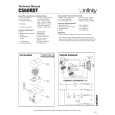
EXISTING CONSTRUCTION
CS 50, CS 60 CS 60R, CS 60RDT, CS 80R
Template
1. Remove the grille from the speaker frame.
2. Determine the correct speaker location. NOTE: Remove the inner template, which is the paint shield, at the perforation. Use the outer template when cutting the drywall.
1. Remove the grille from the speaker frame.
2. Determine the correct speaker location. NOTE: Remove the inner template, which is the paint shield, at the perforation. Use the outer template when cutting the drywall.
�1/2" �1/2" �1/2" �1/2" �1/2" �1/2"
3. NOTE: Always allow at least one-half inch between a wall stud and the speaker cutout or the locking tabs will not be able to swivel into place.
4. Cut the drywall.
3. Determine the correct speaker location. NOTE: Always allow at least onehalf inch between a wall stud and the speaker cutout, or the locking tabs will not be able to swivel into place.
4. Cut the drywall.
5. Connect the speaker wires to the speaker.
6. Place the speaker assembly in the wall.
5. Connect the speaker wires to 6. Place the frame the speaker. Model CS 60RDT assembly in the wall. requires two sets of speaker wires, one for each channel.
7. Screw down each of the 8. Replace the metal grille. Phillips head screws.The locking tabs will swivel into place and secure the unit to the rear surface of the drywall.
7. Screw down each of the four Phillips head screws.The locking tabs will swivel into place and secure the unit to the rear surface of the drywall.
8. Replace the metal grille.
6
CS SERIES
|
|
|
> |
|