|
There are currently no product reviews.
 ;
Very satisfied! I was searching for several days, but nope; till I discovered your webside and there it was at a very reasonable price. Keep up the good work!
Paul
Flanders
 ;
Generally speaking good copy; a few pages too hard contrast...
Good service and communication.
;
I purchased the unit from a private party and the original owners manual was not available. Having the ability to download it was extremely helpful and clarified operating the equipment immensely. This is a complicated unit and without the manual I would not have been able to maximize it's potential. Thank you.
;
Being a user of older radios of many kinds, preferring them over more modern rigs, this manual was invaluable in the programming of my two. I now know for certain what the assorted buttons functions are, and am very grateful to have found this excellent site. Many thanks for your assistance, Tony.
;
Clear and easy to read. All details as expected. Price acceptable , and quick delivery.
CONNECTIONS
When using speaker input terminal
NOTES: � The volume of this unit is set to the maximum when the remote controller is not connected. � If your receiver is equipped with the DSP (Digital Signal Processor), connect this unit to the front speaker output of the receiver.
When using LINE IN jacks
NOTES: � The volume of this unit is set to the maximum when remote controller is not connected. � If your receiver is equipped with the DSP (Digital Signal Processor), connect this unit to the Front Line Output jacks of the receiver. � When connecting to the Line Output jacks, make sure that the output level of the receiver is 2 V or lower; otherwise, sounds will be distorted.
Cautions
� Ground wire connection
� Do not cut off the fuse; otherwise, it may be short-circuited, and cause a �re.
Fuse Ground wire
The fuse is cut off.
Firmly attach the ground wire to the metallic body or to the chassis of the car�to the place uncoated with paint (if coated with paint, remove the paint before attaching the wire). Failure to do so may cause damage to the unit. � Do not connect the power lead to any other sources than the battery.
� Do not connect the blue with white stripes to any other wire than the remote out (DC 12 V) and ACC power. After connection, reconnect the battery negative terminal and make sure stop lamps and others can operate normally.
2
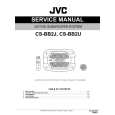 $4.99 CS-BB2J JVC
Service Manual Complete service manual in digital format (PDF File). Service manuals usually contains circuit diagr…
|