|
|
|
Categories
|
|
Information
|
|
Featured Product
|
|
|
 |
|
|
There are currently no product reviews.
 ;
Very well done!!!!! congratulations. It was a bit longer than usual the wiating time even if it was on time (in 24 hours).
;
Last week I bought a second hand BAUKNECHT TRK4850 DRYER. It is a professional machine with many programs and switch options. I feared it would be a huge quest to find a manual. I was delighted when I found owner-manuals.com. After payment I received the file to download the next day already. The quality is great. I am very happy. Thanks!
but kindly the distributions of the operating programs not find in the owners manual,can you help me to understand the operating programs instructions thank you
;
Very good copy, very readable and easy transaction as always.
;
It is perfect, exactly what we needed. It's like the paper version but less clutter.
 ;
Received my manual within 24 hours. Very clear scan of the manual I needed. Thanks!
Maintenance
To clean the cabinet
Use a soft cloth lightly moistened with mild detergent solution. Do not use strong solvents such as alcohol, benzine or thinner.
To clean the heads
When the tape heads are dirty; - high frequency sound is not emitted - the sound is not adequately high - the sound is off-balance - the tape cannot be erased - the tape cannot be recorded on After every 10 hours of use, clean the tape heads with a head cleaning cassette. Use separately sold dry-type or wet-type cleaning cassette. Refer to the instructions of the cleaning cassette for details.
(CSD-TD30 only)
PRESETTING STATIONS
You can preset up to 15 stations in each band.
1 2
Select a station. Press PROGRAM once so that �M� is displayed to store the station.
A station is assigned a preset number, beginning from 1 in consecutive order for each band. Preset number
To clean the lens
Use a cotton swab slightly moistened with cleaning fluid. Wipe gently from the center to the edge.
Lens
Frequency
3
Repeat steps 1 and 2.
The next station will not be stored if a total of 15 preset stations have already been stored for a band.
To listen to preset stations
Select a band then press e repeatedly.
To clear a preset station
Select the preset number first. Within 5 seconds, hold down PROGRAM until �M� and the preset number disappear in the display. The higher numbers in the band are decreased by one.
ENGLISH
7
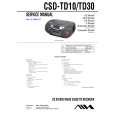 $4.99 CSDTD10 AIWA
Service Manual Complete service manual in digital format (PDF File). Service manuals usually contains circuit diagr…
|
|
|
> |
|