|
|
|
Categories
|
|
Information
|
|
Featured Product
|
|
|
 |
|
|
There are currently no product reviews.
 ;
This is a fantastic site, ad I have been a returning satisfied cusumer!
Thanx for a great sevice!
;
Je suis audiophile belge, électronicien et créateur d'enceintes acoustiques.
J'ai apprécié la qualité des documents fournis. Ils sont très lisibles, ils peuvent être agrandis sans problème et ils sont complets. Pour moi, c'est parfait. Pour cette qualité, je suis d'accord de payer. Et le système de paiement et d'envoi est simple. Merci, continuez comme cela.
Frédéric
;
The cover page was a little scary, very dark but readable. The remainder of the document was better copy and easily readable. Why would I give 5 Stars? (1) PRICE, (2) AUTHENTICITY, It was the real deal, filled with service information, including the specific information I required. (3) PRIVACY, I didn't start to get slammed with spam. (4) EASY TRANSACTION. Painless. (5) COMPLETE, I have found several manuals here, that I could find nowhere else. (6) I will be a repeat customer!
;
Well done!!! I found what I need to have, indeed!
Furthermore, due to my hobby is repairing vintage equipments, I added this web site in my desk toolbar because I have in mind to search further service manuals. Thanks a lot www.owner-manuals.com !
Regards, Maurizio
;
Again very good service manual, this time very fast download. AAAAA+
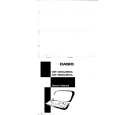
FEATURES
3-color Display The display shows data in three colors: orange, blue and green. Different colors can be used to highlight specific dates in the Calendar, and even the color of text data can be specified. Selectable Main Menu Format Choose between a graphic desktop or an icon list for the Main Menu from which you can select the mode you want. Do Today Function Every time you turn on the unit, any Schedule Keeper items scheduled for that date appear on the display. Powerful Data Bank Functions Telephone Directory, Business Card Directory, Memo, To Do, Expense Manager, Reminder, and Schedule Keeper. Secret Function Look up confidential information using a secret password. Calendar - Schedule Keeper - Reminder - To Do Linking Reminder and To Do items are automatically displayed in the applicable Schedule Keeper dates. Markers appear on the Calendar display to indicate dates for which Schedule Keeper, Reminder, and To Do items are scheduled. Timepiece with Home time and World Time Dual timekeeping for two different locations. Powerful Alarm Functions In addition to the standard daily alarm, you can also set alarms for Schedule Keeper, Reminder, and To Do items. Calculator A 12-digit arithmetic calculator is just the thing for those quick, on-the-go calculations. Data Communication Exchange data with another CSF Unit or with a CASIO SF Unit. Note � This unit is equipped with a demonstration feature, which is activated before the unit is shipped from the factory. Be sure to turn the demonstration off before using the unit for normal operation. If you don't, any display color balance settings you make will be cleared every time you turn the unit off.
�1�
|
|
|
> |
|