|
|
|
Categories
|
|
Information
|
|
Featured Product
|
|
|
 |
|
|
There are currently no product reviews.
 ;
A comprehensive Operating and Service Manual. All schematics are complete and easy to read. The PCB drawings and complete parts list are very helpful. I would definitely recommend this manual.
;
SCANNING OF HIGH QUALITY
VERY, VERY HIGH VELOCITY DOWNLOAD
VERY GOOD PRICE,
TRUE SATISFIED, THANKS
;
Genuine Toshiba owner's manual. Couldn't really ask for more. And written in understandable English in contrast to a few recent experiences I have had with manuals for other equipment other than Toshiba but made in China and written in "Chinglish"!
;
I purchased a vintage Sony mixer off eBay and within the hour was able to locate and purchase the manual for it.I mean really,where else can you find a manual for a product made in 1983!? It was easy to find and purchase/download the manual I needed.I will use this site again for other equipment I have! Great site!
;
manual de usuario perfecto y completo de buena calidad de impresion y muy detallado ideal !
FONCTIONNEMENT DE
LA T�L�COMMANDE
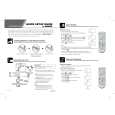
Fonctionnement de la télécommande
POWER
POWER
SAP
Appuyer pour accéder aux modes audio (Stéréo, SAP ou Mono).
Appuyer pour établir ou couper le contact.
VCR
TV
DB S/ CBL
DV
VOL VOL
D
Appuyer pour régler le niveau sonore et se déplacer au sein des menus. Appuyer pour sélectionner le fonctionnement télécommandé.
ACTION
CH CH
Appuyer pour accéder aux menus.
MUTE
Appuyer pour couper le son. Appuyer pour mettre le décodeur de sous-titres (CC) en ou hors fonction.
Appuyer pour sélectionner le canal et pour se déplacer au sein des menus.
RECALL
Appuyer pour afficher l'heure, le numéro du canal, l'état de la minuterie-sommeil et d'autres options.
TV/VIDEO
Appuyer pour sélectionner le mode télé ou vidéo.
GUIDE
Touche de fonctions pour récepteur DBS
MENU
Appuyer pour accéder aux menus DBS ou DVD.
EXIT
Touche de fonctions pour récepteur DBS
1 4 7
2 5 8 0
3 6 9 EUR7613Z60
PROG
Appuyer pour entrer le numéro mineur d�un numéro de canal composé (mode DBS seulement). REW PLAY
u
FF
Appuyer sur une touche numérique pour sélectionner un canal. PAUSE
STOP
REC
R-TUNE
TV/VCR Appuyer pour revenir au canal précédemment capté ou le mode vidéo. VCR /DBS CH
Touches de fonctions d�appareil auxiliaire
Installation des piles
Utiliser deux piles AA:
Retirer le couvercle du logement des piles en appuyant près de la flèche et en poussant vers le haut. Installer les piles en respectant les polarités (+) et (-). Remettre le couvercle en place.
Nota: Une installation incorrecte peut occasionner une fuite et endommager la télécommande.
Précautions à prendre
� � � Remplacer les 2 piles à la fois. Ne pas utiliser des piles de types différents (carbone zinc avec alcalines). Ne pas recharger, court-circuiter, démonter, chauffer ou jeter au feu lespiles.
7l
FRAN�AIS
|
|
|
> |
|