|
|
|
Categories
|
|
Information
|
|
Featured Product
|
|
|
 |
|
|
There are currently no product reviews.
 ;
Good quality instructions manual. Very useful to me. Quick and excellent service from Owner-Manuals... Thanks !!!
;
Sono molto soddisfatto e, quando mi necessiterà, mi avvarrò nuovamente di questo servizio!
;
A comprehensive Operating and Service Manual. All schematics are complete and easy to read. The PCB drawings and complete parts list are very helpful. I would definitely recommend this manual.
;
SCANNING OF HIGH QUALITY
VERY, VERY HIGH VELOCITY DOWNLOAD
VERY GOOD PRICE,
TRUE SATISFIED, THANKS
;
Genuine Toshiba owner's manual. Couldn't really ask for more. And written in understandable English in contrast to a few recent experiences I have had with manuals for other equipment other than Toshiba but made in China and written in "Chinglish"!
TAPE PLAYBACK
Switching modes When the unit is in Radio or CD Changer Play mode, inserting a cassette switches the unit to Tape Play mode automatically.
SOUNDADJUSTMENTS
22
To preventtape problems
Before inserting a cassette into the unit, make sure that there is no slack in the tape. If necessary, take up the slack by inserting a pencil into the spindle hole and winding. Tapes of 90 minutes or longer are extremely thin and easily deformed or damaged. They are not recommended.
MUTE
1 Press SEL to select the mode that you
wish to adjust from: VOL (volume), BASS (bass), TRE (treble), BAL (balance) and FAD (fader).
The following order. indications appear in cyclic
If you do not proceed with step 2 within 5 seconds, the selected mode is canceled, and the indication returns to the current source mode.
2
Press +/�
to adjust the level.
Press and hold either button to change the level rapidly.
+
Decreases the volume level Decreases the bass level Decreases the treble level Decreases the level of the right speaker(s) Decreases the level of the front speakers Increases the volume level Increases the bass level Increases the treble level Decreases the level of the left speaker(s) Decreases the level of the rear speakers
Without selecting any mode with SEL, only the volume level can be adjusted by pressing +/�. MUTE button Press this button to temporarily Iowerthevolume. Press it again to restore the previous volume.
11 ENGLISH
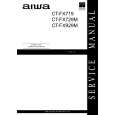 $4.99 CTFX719 AIWA
Service Manual Complete service manual in digital format (PDF File). Service manuals usually contains circuit diagr…
|
|
|
> |
|