|
|
|
Categories
|
|
Information
|
|
Featured Product
|
|
|
 |
|
|
There are currently no product reviews.
 ;
Very easy to get, fast delivery. Was very helpful to solve my problem.
D1600 EasyStart
Using the Insert Effects:
1. 2.
Press the [INSERT EFFECT] key, and then press the �
� popup button in the display to the right of �Assign�.
To assign an insert effect to a recorded track, select �PlayTrack� by pressing the �radio button� to the left of �PlayTrack�, and then press �OK�. (Note: To assign an insert effect to an audio source before recording it to a track, select �Input� by pressing the radio button to the left of �Input� and then press �OK�) To select the type of insert effect(s) you will be using, press the � � popup button to the left of �1 in 1 outx4�, and then press �OK�. (For more information on insert effect types refer to the Owners Manual pg. 105). To select the track where the insert effect is going to be applied, press the � � popup button in the display below �InsertTo:�. Using the CURSOR keys and the DIAL, select the assign channel and destination, and then press �OK�. To select an insert effect, press the �insert effect� tab for the effect that you want to change (ex. �InsEff1� for Insert Effect 1) and use the DIAL to select and effect. To edit a selected effect�s parameters, press the �effect name� button in the display (ex. MM2:P4EQ-Wah ) and then press the �icon� in the display to access the edit parameters.
3. 4. 5. 6.
Using the Master effects
1. 2. 3. 4.
Press the [MASTER EFFECT / AUX] key , and rotate the DIAL to select an effect for Master Effect 1 (�MstEff1�). Press the �MstEff2� tab and use the DIAL to select an effect for Master Effect 2. To edit the parameter for either effect, press the �effect name button� in the display (ex. RV1:ReverbHall ) and then press the �icon� in the display to access edit parameters. To apply master effects to a track, press the �EffSnd1� tab (for Master Effect 1) or �EffSnd2� tab (for Master Effect 2) in the display Use the CURSOR keys and DIAL to increase the send level for each track you want to add master effects to.
Using the Final Effects:
1. 2.
Press the [MASTER EFFECT/AUX] key
Press the �FinalEff� tab.
Rotate the DIAL to select a Final Effect. To edit any parameters of the Final Effect, press the �effect name button� in the display (ex. DY1:St.Comp ) and then press the �icon� in the display to access the edit parameters.
Working with Scenes
1.
Press the [SCENE] key to enter Scene mode. If you have not stored any Scene memory locations yet, press the [STORE] key and then press the [SCENE] key. This will store a �snapshot� of your mixer settings for this song at the COUNTER location indicated on the SONG/ CD page. After pressing the [SCENE] key, to enable Scene Memory, press SceneRead:Off in the display so that it reads SceneRead:On. To store additional scenes, start song playback and change mixer settings, then press the [STORE] key, followed by pressing the [SCENE] key again. Each time you do this, a new scene will be created and stored in the Scene Memory. You can also get a visual picture of what each Scene looks like, and edit its parameters, by pressing the �MixView� tab in the display and using the TRACK Faders and PAN knobs to adjust values. The changes yo9u make will be indicated in the display. You can reset a Scene�s Fader and Pan settings by moving each fader and pan knob until the display indicates two �arrows� versus a single directional arrow.
2. 3. 4.
!
4
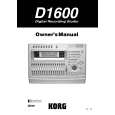 $4.99 D1600 KORG
Owner's Manual Complete owner's manual in digital format. The manual will be available for download as PDF file aft…
|
|
|
> |
|