|
|
|
Categories
|
|
Information
|
|
Featured Product
|
|
|
 |
|
|
There are currently no product reviews.
 ;
Very easy to get, fast delivery. Was very helpful to solve my problem.
D32XD EasyStart 2. 3. Press the �Rhythm On� button in the display to turn �Prev<))� OFF. press �Prev<))�, and then set the desired tempo. When finished, press ]
Press the [METER] key (lower left corner of the display) press the [ ] button (it will blink red), and then press the [ button to start recording when finished recording, press [ ] and then press [<] [MARK JUMP] to return to the beginning of the song. Press the red [REC/PLAY] key for Channel 1 so that it changes to green, and then press the [ track.
4.
] button to playback the
If you want to overdub another part, repeat the steps, starting with the �Assign an input� section, only this time use Channel 2. (See the D32XD Owner�s Manual pages 61-64 for more on the Metronome, Rhythm patterns and Tempo Maps)
Mixdown and master your song:
The D32XD has a dedicated stereo Master Track for boucing and mixing. The Master Track contains eight virtual tracks, allowing you to record eight different virtual mixes and pick your favorite for burning to CD. And before final mastering, each song also provides access to a Master EQ and mastering (Final) effect. 1. 2. 3. 4. Press the [MIXER] key and select �EQ/ATT/PHASE� press the �MasterEQ� tab. Here you can make fine adjustments to the mix of a song. Make some adjstments while playing back the song. Press the [EFFECT] key press the �FinalEFF� tab press the � category select �P039: StudioCompressor� press �OK�. Press the [METER] key mixdown (Lit red). � popup button and select the �Dynamics&Filter�
press the [MASTER TRACK STATUS] key to record enable the MASTER TRACK for
Playback the song and make sure the MASTER fader level is not clipping (MST L.R at the far right of the display) When you are ready to record, press [<] [MARK JUMP] to return to the beginning of the song press the [ ] key (it will blink red), and then press the [ ] key to begin recording. To play back the mix, press the [MASTER TRACK STATUS] key so it turns green (play).
5.
(See the D32XD Owner�s Manual pages29-34 and 67-68 for more on Mixdown and Mastering)
Create an audio CD of your song:
1. 2. 3. 4. 5. Insert a blank CD-R in the CD-RW drive. Press the [CD] key, and then select �CD WRITER� in the display. Press the �Add� button in the display select the song �QUICKTOUR� press �OK�, and then press �Yes�. Press the �Write to CD� button in the display, and then press �Yes�. The display will indicate �Making Image File�, followed by �Writing CD� when propted �Write Another CD?� press �No�. To listen to the CD on the D32XD, press the [CD] key then press the play � � button in the display. select �CD PLAYER� press �CD Monitor� to turn monitoring on
Now you can remove the CD from the drive and listen to your first D32XD recorded CD on your stereo while sipping your favorite beverage.
(See the D32XD Owner�s Manual Pages 78-81 for more on CD burning and the CD modes)
7
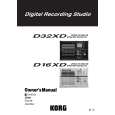 $4.99 D32XD KORG
Owner's Manual Complete owner's manual in digital format. The manual will be available for download as PDF file aft…
|
|
|
> |
|