DSC-W90 LEVEL3 Quantity: 1
$4.99
» View Details
CT3308/ARHSA0BE Quantity: 1
$4.99
» View Details
GD5SHAXLQ02 Quantity: 1
$4.99
» View Details
KSSS42QDX00 Quantity: 1
$4.99
» View Details
5320 LA Quantity: 1
$4.99
» View Details
EK5143 Quantity: 1
$4.99
» View Details
WA Ecostyle 110 Quantity: 1
$4.99
» View Details
ESI420W Quantity: 1
$4.99
» View Details
AKZ 195/WH Quantity: 1
$4.99
» View Details
Z7109 Quantity: 1
$4.99
» View Details
14PT1363/012 Quantity: 1
$4.99
» View Details
WU5750Y1 Quantity: 1
$4.99
» View Details
KX-TC1200SP Quantity: 1
$4.99
» View Details
CD-VC1/E5 Quantity: 1
$4.99
» View Details
LSN3000PG1 Quantity: 1
$4.99
» View Details
RM6400L Quantity: 1
$4.99
» View Details
EHG3760X Quantity: 1
$4.99
» View Details
PTLC76E Quantity: 1
$4.99
» View Details
Favorit 5450 VI Quantity: 1
$4.99
» View Details
5151Bew Quantity: 1
$4.99
» View Details
KDRP463LSS07 Quantity: 1
$4.99
» View Details
LOE 86 Quantity: 1
$4.99
» View Details
ZJ1217 Quantity: 1
$4.99
» View Details
SSV331 Quantity: 1
$4.99
» View Details
Sub-Total: $119.76
 
English Polski Spanish 
Search For a Manual
 

(e.g. AA-V20EG JVC, ZX-7 Sony )
PayPal 1000+ rating Secure, Encrypted Checkout.
 
Categories
Information
Featured Product
Home >> KODAK >> DC5000 User Guide
 
 24 item(s) in your cart 

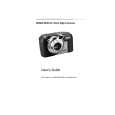
KODAK DC5000
User Guide


Tweet about this product and get $1.00 of store credit for instant use!
  • Download
  • PDF Format
  • Complete manual
  • Language: English
Price: $4.99

Description of KODAK DC5000 User Guide

It's a complete guide ( also known as operating manual or owner's manual), and it's in PDF format. After placing order we'll send You download instructions on Your email address.

The manual is available in languages: English

Not yet ready
You must purchase it first

Customer Reviews
There are currently no product reviews.

Text excerpt from page 37 (click to view)
Selecting the ISO Setting
If you take pictures in low light without flash, such as in a museum, you can select the Auto ISO sensitivity on the camera to help prevent blurred pictures caused by camera movement. With this feature the shutter speed is automatically increased to make the camera more responsive, while maintaining proper exposure for the picture.

Menu

1 Set the Mode dial to Capture.
Review Setup Capture

2 Slide the POWER switch to the right to
turn on the camera.

3 Press the Menu button.
The LCD displays the main Menu screen.

3

4 Press a

button until the icon is highlighted. The LCD displays the Auto ISO screen. The current setting is (ä).

/

5 Press the DO-IT button. 6 Press a / button until the option
you want is highlighted. q OFF�camera selects the optimal shutter speed for pictures. Ideal for everyday picture-taking. q ON�camera increases the shutter speed when flash is turned off. Ideal for indoor pictures in less than optimal lighting.

7 Press the DO-IT button. 8 To cancel Auto ISO, press
a / button until OFF is highlighted, then press the DO-IT button, or turn off the camera. It is possible to change the ISO default setting, see page 55.

29
You might also want to buy

$4.99

DC5000 KODAK
Owner's Manual

Complete owner's manual in digital format. The manual will be available for download as PDF file aft…
>
Parse Time: 1.301 - Number of Queries: 183 - Query Time: 0.676