|
|
|
Categories
|
|
Information
|
|
Featured Product
|
|
|
 |
|
|
There are currently no product reviews.
 ;
Excelent scan job. It's a fully detailed service manual of this model.
 ;
Do a quick order, scan quality is high.
I recommend to all!
;
This manual is perfect! Just what I needed. Thanks!
;
This manual was very clear and complete, the prices can't be beat, great to have older manuals available!
;
Doubted for buy this manual as it is my first order here and at not have cover image, I assumed would haven't. However, within 24 hs, already possessed the link to download it. The manual are scanned correctly and have all what is needed. Includes adjustments and diagrams of all circuits. Very satisfied.
DCR-HC85/HC85E
3.
Repaired by:
SELF-DIAGNOSIS CODE TABLE
Self-diagnosis Code Block Detailed Function Code C C C C C C C C C C C C C C C C C C C C C C C E E 0 2 2 3 3 3 3 3 3 3 3 3 3 3 3 3 3 3 3 3 3 3 3 2 6 4 1 2 1 1 1 1 1 1 1 1 1 1 1 1 2 2 2 2 2 2 2 2 0 1 0 0 0 1 1 2 2 2 2 2 3 4 4 1 1 2 2 2 2 2 3 4 4 0 0 0 0 0 0 1 0 1 2 3 4 0 0 2 0 1 0 1 2 3 4 0 0 2 0 0 Symptom/State Correction
Non-standard battery is used. Condensation. Video head is dirty. LOAD direction. Loading does not complete within specified time UNLOAD direction. Loading does not complete within specified time
Use the info LITHIUM battery. Remove the cassette, and insert it again after one hour. Clean with the optional cleaning cassette. Load the tape again, and perform operations from the beginning. Load the tape again, and perform operations from the beginning.
T reel side tape slacking when unloading. Load the tape again, and perform operations from the beginning. Winding S reel fault when counting the rest of tape. Load the tape again, and perform operations from the beginning. T reel fault. S reel fault. T reel fault. FG fault when starting capstan. FG fault when starting drum. FG fault during normal drum operations. LOAD direction loading motor timeout. UNLOAD direction loading motor time-out. T reel side tape slacking when unloading. Load the tape again, and perform operations from the beginning. Load the tape again, and perform operations from the beginning. Load the tape again, and perform operations from the beginning. Load the tape again, and perform operations from the beginning. Load the tape again, and perform operations from the beginning. Load the tape again, and perform operations from the beginning. Remove the battery or power cable, connect, and perform operations from the beginning. Remove the battery or power cable, connect, and perform operations from the beginning. Remove the battery or power cable, connect, and perform operations from the beginning.
Winding S reel fault when counting the Remove the battery or power cable, connect, and perform rest of tape. operations from the beginning. T reel fault. S reel fault. T reel fault. FG fault when starting capstan. FG fault when starting drum FG fault during normal drum operations Data on A page or D page are rewriten. Difficult to adjust focus (Cannot initialize focus.) Remove the battery or power cable, connect, and perform operations from the beginning. Remove the battery or power cable, connect, and perform operations from the beginning. Remove the battery or power cable, connect, and perform operations from the beginning. Remove the battery or power cable, connect, and perform operations from the beginning. Remove the battery or power cable, connect, and perform operations from the beginning. Remove the battery or power cable, connect, and perform operations from the beginning. Make data on A page and D page correct value. Inspect the lens block focus MR sensor (Pin 1, 2 of CN5101 of VC-360 board) when focusing is performed when the focus ring is rotated in the focus manual mode, and the focus motor drive circuit (IC5101 of VC-360 board) when the focusing is not performed. Inspect the lens block zoom MR sensor (Pin qg, qh of CN5101 of VC-360 board) when zooming is performed when the zoom switch is operated and the zoom motor drive circuit (IC5101 of VC-360 board) when zooming is not performed.
E
6
1
1
0
Zoom operations fault (Cannot initialize zoom lens.)
E
6
2
0
0
Steadyshot function does not work well. (With pitch angular velocity sensor output Inspect pitch angular velocity sensor (SE4001 of CD-514 board) stopped.) peripheral circuits. Steadyshot function does not work well. (With yaw angular velocity sensor output Inspect yaw angular velocity sensor (SE4002 of CD-514 board) stopped.) peripheral circuits. Abnormality when the power supply capacitor of the flash unit is being Checking or replacement of the flash unit. charged.
E
6
2
0
1
E
9
1
0
1
1-5E
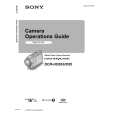 $4.99 DCRHC85 SONY
Owner's Manual Complete owner's manual in digital format. The manual will be available for download as PDF file aft…
|
|
|
> |
|