|
|
|
Categories
|
|
Information
|
|
Featured Product
|
|
|
 |
|
|
There are currently no product reviews.
 ;
fast response great copy easy to download quick to correct mistakes
;
This manual provided the necessary information to properly use the C-3 deck. The manual was an excellent reproduction and very clear.
;
Product was very good. Received quickly and complete
 ;
Although printing quality is not the best, the manual was very helpful in order to reactivate this ancient but still good electronic musical instrument.
;
as a first-time user and buyer from this site, i found the overall service outstanding!! this product is a godsend as, without it, i would never have been able to find my way around and use my machine as intended. i will certainly use this site again as required. many many thanx!!
Superimposing a still image in a �Memory Stick� on an image � MEMORY MIX Recording a superimposed image to tape
Before operation �Insert a tape for recording into your camcorder. �Insert a �Memory Stick� recorded with still images into your camcorder. (1) Set the POWER switch to CAMERA. (2) In the standby mode, press FN and select PAGE2. (3) Press MEM MIX. The last image recorded on the �Memory Stick� appears on the right lower part of the LCD screen. (4) Press �/+ on the right lower corner of the LCD screen to select the still image which you want to superimpose. � : to see the previous image + : to see the next image (5) Press a desired mode. The still image is superimposed on the moving picture. (6) Press �/+ on the left lower corner of the LCD screen to adjust the effect, then press OK to return to PAGE2. M. CHROM � The color (blue) scheme of the area in the still image which is to be swapped with a moving image M. LUMI � The color (bright) scheme of the area in the still image which is to be swapped with a moving image C. CHROM � The color (blue) scheme of the area in the moving image which is to be swapped with a still image M. OVERLAP � No adjustment necessary The fewer bars there are on the LCD screen, the stronger the effect. (7) Press EXIT to return to FN. (8) Press START/STOP to start recording.
1
MEMORY/ NETWORK
CAMERA (CHG) OFF ON
VCR
MODE
POWER
3
MEM MIX
MEM MIX
OFF MCCAM
LUMI
OK
CAMCM MCCAM CHROM CHROM
Still image
+
2
FN
4,5
+
MEM MIX
OFF
OK
M. LUMI
+
+
OK
6
PAGE2
126 +
MEM MIX
OFF
M. LUMI
+
+
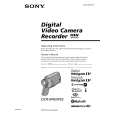 $4.99 DCRIP55 SONY
Service Manual Complete service manual in digital format (PDF File). Service manuals usually contains circuit diagr…
|
|
|
> |
|