|
|
|
Categories
|
|
Information
|
|
Featured Product
|
|
|
 |
|
|
There are currently no product reviews.
 ;
I purchased this manual to repair my Teac set and with the support of this manual I rectified the problem.
Thanks Owner-Manuals.com
;
Excellent service manual, i didn't believe i could find it for such old product, it is very explanatory, managed to fix the disk player!!!
 ;
Nice manual. Clear copy and very rare, to boot. Great price, too!
;
Excellent service manual. Complete service info. with schematics, step-by-step instructions and illustrations. Well worth the price!
;
Great product, helped me to restore vintage walkman cassette.
Just some pictures could be little bit more sharp and contrast
Thank you
D-NE300/NE300CK/NE301/NE301CK/NE306CK SECTION 1 SERVICING NOTES
NOTES ON HANDLING THE OPTICAL PICK-UP BLOCK OR BASE UNIT
The laser diode in the optical pick-up block may suffer electrostatic breakdown because of the potential difference generated by the charged electrostatic load, etc. on clothing and the human body. During repair, pay attention to electrostatic breakdown and also use the procedure in the printed matter which is included in the repair parts. The flexible board is easily damaged and should be handled with care. NOTES ON LASER DIODE EMISSION CHECK The laser beam on this model is concentrated so as to be focused on the disc reflective surface by the objective lens in the optical pick-up block. Therefore, when checking the laser diode emission, observe from more than 30 cm away from the objective lens. � In performing the repair with the power supplied to the set, removing the MAIN board causes the set to be disabled. In such a case, make a solder bridge to short SL825 (OPEN/ CLOSE DETECT) on the MAIN board in advance. 3. Push the N X button. 4. Observing the objective lens, check that the laser diode emits light. When the laser diode does not emit light, automatic power control circuit or optical pickup is faulty. In this operation, the objective lens will move up and down 4 times along with inward motion for the focus search.
detection lever
detection lever
� MAIN Board (Component Side) �
S820
MAIN board
Fig. 1 Method to push the S804
System requirements
The following hardware and software specifications are required in order to use the SonicStage Simple Burner software. Computer IBM PC/AT or Compatible ¥ CPU: Pentium II 300 MHz or higher (Pentium III 600 MHz or higher is recommended.)
SL825 (OPEN)
BEFORE REPLACING THE OPTICAL PICK-UP BLOCK Please be sure to check thoroughly the parameters as par the �Optical Pick-Up Block Checking Procedures� (Part No.: 9-960-02711) issued separately before replacing the optical pick-up block. Note and specifications required to check are given below. � FOK output: IC601 yg pin When checking FOK, remove the lead wire to disc motor. � RF signal P-to-P value: 0.45 to 0.65 Vp-p LASER DIODE AND FOCUS SEARCH OPERATION CHECK During normal operation of the equipment, emission of the laser diode is prohibited unless the upper lid is closed while turning ON the S820. (push switch type) The following checking method for the laser diode is operable. � Method: Emission of the laser diode is visually checked. 1. Open the upper lid. 2. With a disc not set, turn on the S820 with a screwdriver having a thin tip as shown in Fig.1.
¥ ¥ ¥ ¥ ¥ ¥ ¥ ¥
¥ Hard disk drive space: System folder (on boot disc) � 200 MB or more/ Temporary folder � 200 MB or more (The amount of free space required differs according to the size of the audio files that you want to handle. 1.5 GB of free space or more is recommended.) ¥ RAM: 64 MB or more (128 MB or more is recommended) Others ¥ CD-R/RW drive (capable of digital playback by WDM) ¥ Sound Board Operating System Factory installed: Windows XP Home Edition/Windows XP Professional/Windows Millennium Edition/Windows 2000 Professional/Windows 98 Second Edition Display High Color (16 bit) or higher, 800 � 600 dots or better Others ¥ Internet access: for Web registration and CDDB services ¥ Adobe Acrobat Reader installed for viewing the PDF manual
This software is not supported by the following environments:
NEC PC-98 series or compatible machines, Macintosh systems Windows XP versions other than Home Edition or Professional Windows 2000 versions other than Professional Windows 98 versions other than Second Edition Windows NT Windows 95 Personally constructed PCs or operating systems An environment that is an upgrade of the original manufacturer-installed operating system
¥ Multi-boot environment ¥ Multi-monitor environment Notes
¥ We do not ensure trouble-free operation on all computers that satisfy the system requirements. ¥ We do not ensure trouble-free operation of the system suspend, sleep, or hibernation function on all computers.
3
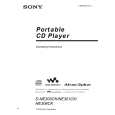 $4.99 DNE300 SONY
Owner's Manual Complete owner's manual in digital format. The manual will be available for download as PDF file aft…
|
|
|
> |
|