|
|
|
Categories
|
|
Information
|
|
Featured Product
|
|
|
 |
|
|
There are currently no product reviews.
 ;
I Have looked for this manual for quiet a while now, I have finally found it here. I believe this is the only place they have them in a very nice scan, pages are very clear to read, some of the pages are a bit tilted but overall it is great to have this manual available for purchase. Thanks
;
This is quiet a rare manual, I Have looked for this manual for quiet a while now, I have finally found it here. I believe this is the only place they have them in a very nice scan, Excellent guide: very clear, enabling us to print readable diagram overall it is great to have this manual available for purchase. This is a complete service manual no pages are missing. Thanks
;
This SM is quiet scarce and hard to find it is an excellent Service manual, very clear to read and to print schematics and diagrams, Hi quality, Complete manual with no pages missing. I am very pleased with the manual and the fast service I have received. Great place to shop.
Good luck finding you manual...
;
Quick delivery, the document was usefull, although the copy was i little bit unclear in the details.
 ;
A complete and well done copy of the manual, at a not expansive price!
The delivery of the manual is very fast.
Thank you for all
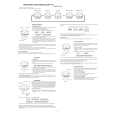
D-NE1/NE9 SECTION 2 GENERAL
Locating the controls
CD player (front) (D-NE1)
1 Jog lever (u (play/pause)� ./> (AMS/search)) (pages 13, 14, 20 - 22)
This section is extracted from instruction manual.
2 x (stop) /CHARGE button� CHARGE lamp (pages 14, 25, 26, 28, 29)
3 VOL (volume) +*/� buttons (page 14)
4 i (headphones) jack (page 13)
5 OPEN switch (page 13)
6 Terminals for the charging stand (pages 28, 34)
*The button has a tactile dot.
CD player (inside)
7 AVLS switch (page 25) 8 G-PROTECTION switch (page 23) 9 Battery compartment (page 28, 30)
CD player (front) (D-NE9)
1 Jog lever (u (play/pause)� ./> (AMS/search)) (pages 13, 14, 20 - 22)
2 x (stop) /CHARGE button� CHARGE lamp (pages 14, 25, 26, 28, 29)
3 VOL (volume) +*/� buttons (page 14) 4 i (headphones) jack (page 13) 5 OPEN switch (page 13)
*The button has a tactile dot.
5
|
|
|
> |
|