|
There are currently no product reviews.
 ;
Great price for the manual and easy to locate on the site and download. I would buy again.
 ;
Very good copy of Manual, clear and easy to print off, arrived very promptly and reasonably priced. Thanks, I will use you again
;
The service manual when downloaded and printed out was clear and easy to read. The manual is complete with the schematic diagram and technical data. I occasionally require a manual and now having registered with this company I shall order from them in the future.
;
Great manual, great price. I am very pleased with Owner-Manuals.com, quick service, fast communication. Will definitely use this site again.
;
Hello from Germany - thank you very much for the manual for my Sharp "Searcher" - the handling of your internet area is outstanding..Mike
Playing preset radio stations
You can tune in the station easily by pressing PRESET + or � button.
1 2
Press RADIO ON�BAND to select the band. Press PRESET + or � to tune in a stored station.
Changing the tuning interval
When using the CD player abroad, change the AM tuning interval, if necessary. Set the 9k/10k switch (in the battery compartment) to �� (9 kHz)� or �� � (10 kHz)� using a pointed material. 9 kHz area: Asia and Europe 10 kHz area: the U.S.A., Canada and South America
9k/10k switch
Using the radio
Notes
� The interval will not change until you once turn off the radio and then turn it on again. � After changing the tuning interval, you need to preset radio stations again.
25
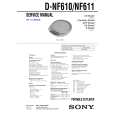 $4.99 DNF610 SONY
Service Manual Complete service manual in digital format (PDF File). Service manuals usually contains circuit diagr…
|