|
|
|
Categories
|
|
Information
|
|
Featured Product
|
|
|
 |
|
|
There are currently no product reviews.
 ;
This is an excellent handbook. We had no information on the appliance until we obtained this and are now able to use the appliance to its full potential. Strongly recommended.
;
Very happy to find this from owners-manual.com and the enclosed spec sheet as well.
Not longer available from Sony.
;
The Owner's manual was very helpful. The WEGA is about 35 years old and needed repair.
Your Website is pretty good und easily to handle.
Thank You
Carl-W. Lohmann
;
Perfect. Very good service and very good scanning quality. All sheets are very legible. Thank's
;
My first manual from Owner-Manuals.com but not the last! I am very satisfied with the easy ordering and promt delivery of a manual I did not find anywhere else.
DP-01FX Appendix
The line of symbols on either side of the center square gets shorter as the played note approaches the �target� and the center square fills when the string is in tune:
Changing the tuning Most instruments are tuned to A=440Hz. If you
are playing with another instrument that cannot be tuned, you may want to change this value, that is, tune your guitar to the other instrument. Use the jog wheel to change the reference tuning away from 440Hz if you need to do this.
Noise reduction
When you are recording, the background noise of microphones, or the noise from guitar amplifiers, etc., may be too loud. The DP-01FX allows you to �gate� this noise, and only open the gate when the input signal goes over a certain level. This only takes effect when the MULTI effect is enabled.
1 2
Press MENU, and then select the PREFERENCE menu. Use the arrow keys to scroll to NSP:
3
Set the level at which the gate opens to a value of: OFF (the gate is always open), or from 1 (the gate will open easily, with very quiet sounds) to 60 (a lot of force�a very loud sound�is needed to open the gate).
Using a noise gate like this sometimes requires a little work to make sure that you don�t accidentally cut off quiet parts of a song. Before you make a recording using the noise gate, it�s a good idea to rehearse the whole part to make sure you�ve got the right gate level.
TASCAM DP-01 Owner�s Manual
63
Tuning a guitar
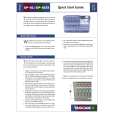 $4.99 DP-01 TEAC
Quick Start Quick start guide ( sometimes called quick guide ) contains most important information on how to use…
|
|
|
> |
|