|
|
|
Categories
|
|
Information
|
|
Featured Product
|
|
|
 |
|
|
There are currently no product reviews.
 ;
I received the manual in correct time. It was a perfect help for me.
;
excellent quality, contains circuits and scan quality, 226 pages
 ;
Great price for the manual and easy to locate on the site and download. I would buy again.
;
Very good copy of Manual, clear and easy to print off, arrived very promptly and reasonably priced. Thanks, I will use you again
;
The service manual when downloaded and printed out was clear and easy to read. The manual is complete with the schematic diagram and technical data. I occasionally require a manual and now having registered with this company I shall order from them in the future.
Programmed play (PGM mode)
DP-5090/4090 (En)
14
Use the following procedure to program desired tracks in a desired order. (up to 32 tracks)
Preparation
÷ Load a disc in the CD player.
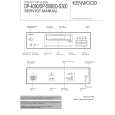
COMPACT DISC PLAYER DP-5090
REMOTE CONTROL UNIT
RC-P0505
: Keys and control used in the operations described on this page.
1 Press so that the �PGM� indicator lights.
Blinks.
Do this operation in the stop mode.
P.MODE
PGM01 TNO.??
REMOTE CONTROL UNIT
RC-P0505
2 Program desired tracks.
1 Select the desired track No.
Press the numeric keys as shown below.... To enter track No. 25: 005
1 2 3
P G M 0 1 T N O . 2 5 AB
«
PGM01 ABCDEFGH
REMOTE CONTROL UNIT
4
5
6
RC-P0505
7
8
9
In the case of a CD-TEXT disc, the track�s title is scrolled on the display.
0
+10
PGM01 TNO.25
Go to step 2 within 8 seconds.
2 Set the entry.
P.MODE
÷ Tracks can also be selected by pressing the 4 or ¢ key. ÷ Up to 32 tracks can be programmed. When �FULL� is displayed, no more tracks can be programmed. ÷ If you make a mistake, press the CLEAR key and enter the track No.
REMOTE CONTROL UNIT
RC-P0505
3 Repeat steps 1 and 2 above.
from the beginning. ÷ When the total playing time of the programmed tracks exceeds 100 minutes, the remaining time on the disc will not be displayed any more.
3Start playback.
6
REMOTE CONTROL UNIT
÷ When the 4 or ¢ key is pressed during playback, the track will be skipped in the direction of the pressed button. ÷ When the 4 key is pressed once during playback, the play position returns to the beginning of the current track being played.
RC-P0505
To stop playback
7
÷ The programmed contents remain in memory.
REMOTE CONTROL UNIT
RC-P0505
|
|
|
> |
|