Shopping cart is empty
 
English Polski Spanish 
Search For a Manual
 

(e.g. AA-V20EG JVC, ZX-7 Sony )
PayPal 1000+ rating Secure, Encrypted Checkout.
 
Categories
Information
Featured Product
Home >> PANASONIC >> DP-C262 Service Manual
 
 0 item(s) in your cart 

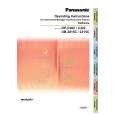
PANASONIC DP-C262
Service Manual


Tweet about this product and get $1.00 of store credit for instant use!
  • Contains Circuit Diagrams
  • Download
  • PDF Format
  • Complete manual
  • Language: English
Price: $4.99

Description of PANASONIC DP-C262 Service Manual

Complete service manual in digital format (PDF File). Service manuals usually contains circuit diagrams, printed circuit boards, repair tips, wiring diagrams, block diagrams and parts list. Service Manual ( sometimes called Repair Manual ) is used mainly by technicians.

If You just want to know how to use Your tv, video, mp3 player etc. You should look for Owner's Manual. After placing order we'll send You download instructions on Your email address.

The manual is available in languages: English

Not yet ready
You must purchase it first

Customer Reviews
There are currently no product reviews.
Other Reviews
 6300 NAD Service Manual by Ferhat Feradov;
Very good quality, prompt response. This website has reasonable prices and wide range of manuals that are hard to find.
 D25 SONY Service Manual by Yang Xing;
The document was usefull, and it was exactly what I was looking for.
 PCM100L/LB JVC Service Manual by Dušan Demovi?;
OK?..manual is complet and helpfull... for repairing such a old and rare boombox like JVC PCM it is necessary...
 CCU-700AP VOLUME1 SONY Service Manual by Ralf Made;
Super Anleitung. Ordentliche Auflösung. Das ganze noch in Deutsch wäre zu schön. Alle Datenblätter sind sauber Kopiert und alle Leitungswege sind sauber ausgeführt
 PVW2650P VOLUME 1 SONY Service Manual by Artur Łukasik;
Thanks God for the internet and thanks for the service like this - proffessional solution on time.

Text excerpt from page 107 (click to view)
DP-C354/C323/C264/C263/C213 DP-C322/C262

(12) While holding the IT Unit on both sides, release the lock by pushing the lever to the right.

(13) Carefully pull the IT Unit (3420) out of the machine while holding it by both sides.

Caution: Pull the IT Unit out straight, and leveled (horizontal), or the IT Belt may get damaged, and the printing quality will be affected.

<Cleaning the Initial Point Sensor> (14) Clean the Initial Point Sensor with a dry cotton swab. Note: When cleaning, wipe the surface of the sensor with a dry cotton swab a few times as illustrated.

107
Ver. 2.0 SEPT 2006

You might also want to buy

$4.99

DPC262 PANASONIC
Owner's Manual

Complete owner's manual in digital format. The manual will be available for download as PDF file aft…
>
Parse Time: 0.362 - Number of Queries: 110 - Query Time: 0.15