|
|
|
Categories
|
|
Information
|
|
Featured Product
|
|
|
 |
|
|
There are currently no product reviews.
 ;
A complete manual with all the needed details of calibrations and service instructions about the radio receiver.
A big deal.
Many thanks !
;
Fast delivery and good quality copy. To be recommended
;
Excellent product, very clear print. Detailed circuit and assembly diagrams - this enabled me to repair my CD player with confidence. I highly recommend this site.
;
Fast access, 100% correct and complete service manual
;
just what i was seeking .had a password issue but the review allowed me to circumvent and download was great
5-2-2. Density Adjustment
n Before replacing the thermal head, print a test pattern (STEP) with the old head (defective head) or in the normal condition to be used as a reference of density level. 1. Start the unit with the AC adaptor to enter the service mode. (Refer to Section 5-1.) n Never use the battery to start the unit. In case of starting the unit with the battery, �BAT V� is displayed instead of �AC�. Do not press the ENTER key at that time. Otherwise, a malfunction may occur in the battery voltage detection. (The remaining battery amount cannot be detected correctly.) 2. Enter the TESTP menu, then select �STEP� using the _ key or + key and press the ENTER key. A density adjustment pattern (STEP) is printed. This is used as a reference of the density adjustment. 3. Turn off the power. 4. Replace the thermal head. (Refer to Section 1-4-3.) 5. Turn on the power, then print a test pattern (STEP) again. 6. Adjust the density so that the test pattern is the same in level as the reference test pattern printed before replacing the head. To adjust the density, enter the SET-2 menu, then select �STBWI� using the _ key or + key and press the ENTER key. . To increase the density: Press the + key to increase the value and press the ENTER key. . To decrease the density: Press the _ key to decrease the value and press the ENTER key. n The value cannot be selected if the ENTER key is not pressed after changing the value.
<Example of screen>
170
STBWI
7. Repeat steps 5 and 6 until the test pattern equivalent to the reference in density level is obtained. n The value has the upper limit. If a value exceeding the upper limit is set, it will be impossible to make the full use of the capabilities of the printer. For the upper limit of the set value, refer to the technical memo.
DPP-MP1 (UC, CE)
5-9
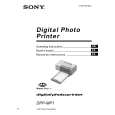 $4.99 DPPMP1 SONY
Owner's Manual Complete owner's manual in digital format. The manual will be available for download as PDF file aft…
|
|
|
> |
|