|
|
|
Categories
|
|
Information
|
|
Featured Product
|
|
|
 |
|
|
There are currently no product reviews.
 ;
The manual is useful for trouble shooting for an old instrument. It saved money,and let me enjoy DIY.
 ;
Perfect source of information for replacing the HDD and performing general diagnostics.
;
Perfect source of information for replacing the HDD and performing general diagnostics.
;
Very good scanned copies. Quick response and reasonable price. Thanks for service!
;
Good. Good. Good. Good. Good. Good. Good. Good. Good. Good. Good. Good. Good. Good.
DR-C500 PANEL VIEWS-1
FRONT PANEL
1 2 3 4 5 6
7
8
9
10
11 12
13
14 15
1 STANDBY indicator 2 STANDBY/ON button
When STANDBY/ON button is pressed to ON, the DVD Changer Receiver turns on. The STANDBY indicator turns off and the display lights up. Pressing the button again returns the DVD Changer Receiver to the standby state. This state turns off the display and disables control functions.
10 PRESET MEMORY/DISC SKIP button
When listening to the radio, press to assign the radio station that is currently tuned in to a preset channel or delete a previously preset station. When playing discs, press to select a disc. When the DISC SKIP button is pressed while the Disc tray is open, the tray simply rotates.
11 SURROUND button
Press to select a surround mode.
3 Remote control sensor
Point the remote controller toward the remote control sensor to operate the DVD Changer Receiver.
12
button Press to open and close the disc tray. button Press to stop playback. Pressing once enables playback to resume from a point shortly before the location where it was stopped. Pressing twice causes the disc to return to the beginning of the disc when playback starts again.
4 Display 5 INPUT
buttons Press to select the input source.
13
6 MASTER VOLUME dial
The MASTER VOLUME dial is used to control the volume level.
14 PHONES jack
This is a standard stereo jack for connecting stereo headphones.
7 DISC 1, DISC 2, DISC 3, DISC 4, DISC 5 buttons Press to select a disc in the changer. 15 8 Disc tray
When loading a disc, place it on the disc tray with its label facing up.
button Press to start or pause playback.
9 TUNING/PRESET
buttons When playing discs, press to skip back or forward to consecutive chapters/tracks. When listening to the radio, press to change the tuner frequency or select preset stations.
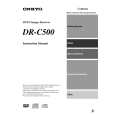 $4.99 DRC500 ONKYO
Owner's Manual Complete owner's manual in digital format. The manual will be available for download as PDF file aft…
|
|
|
> |
|