|
|
|
Categories
|
|
Information
|
|
Featured Product
|
|
|
 |
|
|
There are currently no product reviews.
 ;
perfect! you just sent to me the copy in Italian witout even my specification!!!! so you are really smart cooperative and efficient. To my opinion the best place all over to get a manual of electronics!!!!
;
Well Well Well!!!! Good manual perfect for my hobby!!! As Before you have done a very well done work!!!! Thank you
;
Super nice! Good to have a manual in digital format.
;
Great job supplying the manual.
Many of these products weerepretty obscure, so it was great that you had
the manual for it!
;
Great manual, would not have been able to operate my machine without it!!
James Dawson August 18, 2012
Battery and power (continued)
Symptom The battery pack runs down too quickly. Cause � You are recording/playing back images in an extremely cold location. � The battery pack is not charged enough. � The battery pack is dead (page 96). � The battery pack is not installed properly. � The AC power adaptor is disconnected. � If you do not operate the camera for about 90 seconds while the power is on, the camera turns off automatically to prevent wearing down the battery (when [POWER SAVE] is [OFF], after three minutes.) (page 14). � The battery pack is discharged. Solution � p Fully charge the battery pack (page 10). p Replace the battery pack with a new one. p Install the battery pack properly (page 10). p Connect it securely to your camera (page 13). p Turn on the power again (page 14).
The power cannot be turned on. The power turns off suddenly.
p Replace it with a charged battery pack (page 10).
Shooting still images / movies
Symptom The LCD screen does not turned on when the power is turned on. The subject is not visible on the LCD screen. The image is out of focus. Cause � The power was turned off with the LCD screen set to OFF the last time you used the camera. � The mode dial is not set to � The subject is too close. , SCN, or . Solution p Turn the LCD screen ON (page 26).
p Set it to
, SCN, or,
(pages 20, 28, 69).
Unable to zoom.
� Scene selection is set to the Landscape mode. � Focus preset is selected. � You cannot zoom while shooting a movie (MPEG movie).
p Set the macro recording mode when you shoot a subject that is within 50 cm (19 11/16 inches) from the lens. Make sure to place the lens farther away from the subject than the shortest shooting distance when shooting (page 22). p Cancel the setting (page 28). p Set to the auto focus mode (page 53). �
78
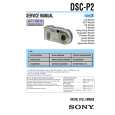 $4.99 DSCP2 SONY
Service Manual Complete service manual in digital format (PDF File). Service manuals usually contains circuit diagr…
|
|
|
> |
|