|
There are currently no product reviews.
 ;
I thank Owen-Manuals.com for the wonderful service rendered to me, and this manual which I purchased helped me a lot in servicing my Denon System, which was lying in a dead state.
Thanks Owner-Manual.com
;
I purchased this manual to repair my Teac set and with the support of this manual I rectified the problem.
Thanks Owner-Manuals.com
;
Excellent service manual, i didn't believe i could find it for such old product, it is very explanatory, managed to fix the disk player!!!
 ;
Nice manual. Clear copy and very rare, to boot. Great price, too!
;
Excellent service manual. Complete service info. with schematics, step-by-step instructions and illustrations. Well worth the price!
Inserting the batteries
2 1 2 1
1
, Open the battery cover.
Slide it in the direction of the arrow with the OPEN button pressed, and it opens out.
2
, Insert the batteries.
Match the +/� poles of the batteries to the +/ � marks inside the battery case.
� Occasionally clean the poles of the batteries and the terminals of the battery cover by wiping them with a dry cloth. If the poles of the batteries or the terminals become covered with a film of dirt or oil from the skin, the operating time of the camera can be greatly reduced.
3
, Close the battery cover.
Close the battery cover while holding the batteries in. The cover is closed when it clicks. To remove the batteries Stand the camera on end, open the battery cover upward, then remove the batteries.
� Make sure you do not drop the batteries when opening or closing the battery cover.
16
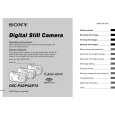 $4.99 DSC-P32 SONY
Owner's Manual Complete owner's manual in digital format. The manual will be available for download as PDF file aft…
|