|
|
|
Categories
|
|
Information
|
|
Featured Product
|
|
|
 |
|
|
There are currently no product reviews.
 ;
It is perfect, exactly what we needed. It's like the paper version but less clutter.
 ;
Received my manual within 24 hours. Very clear scan of the manual I needed. Thanks!
;
Very clear scan, I recommend it. Definitely a must have for any 3362 owner.
Alpine could have written a slightly more complete manual, though. It's already pretty huge, but the unit has so many functions, I feel some more explanation would have been better.
Yamaha's manual of their comparable YDSP-1 is a little better in my opinion.
;
Immediate response with excellent service - highly reccommended
;
Correct manual received and of good quality but the contents of the file for the Service Manual for the same monitor is for a 20" TV not the RGB Monitor.
Selecting a flash mode
(No flash): The flash will not be used.
VGA FINE 101
VGA
101
98
98
SAF
250 F2.0
SAF
� If the menu is currently displayed, press MENU first to make the menu disappear. � The recommended distance using the flash is as follows (when [ISO] is set to [Auto]): Approx. 0.2 m (7 7/8 inches) to 3.5 m (11 feet 5 7/8 inches) � The flash fires twice. First pre-emission is to adjust the amount of flash light, and second emission is to shoot the image. � You can change the brightness of the flash using [ ] (Flash Level) in the menu settings (page 56). (When (Camera) is set to [Auto] in the menu, you cannot change the brightness of the flash.) � Because the shutter speed is slower under dark conditions when (Slow synchro) or (No flash) is selected, it is recommended that you use a tripod. � While the flash is being charged, the (flash charge) lamp flashes. After charging is completed, the lamp goes out. � This setting is maintained even when the power is turned off.
Shooting still images
2
, Center the subject in the frame. Press and hold the shutter button halfway down to focus on, then press the shutter button fully down.
The self-timer lamp (page 8) will flash, and you will hear a beeping sound. The image will be shot after approximately 10 seconds. To cancel the self-timer during the operation Press V ( ) on the control button again. The indicator disappears from the LCD screen.
� If you stand in front of the camera and press the shutter button, the focus and the exposure may not be correctly set.
, Set the mode switch to
, and
press v ( ) on the control button repeatedly to select a flash mode.
The flash mode has the following features. No indicator (Auto): The camera decides to use the flash based on lighting conditions. The flash will be used when there is not enough light or when shooting a subject against a light source. (Forced flash): The flash will be used regardless of the amount of ambient light. (Slow synchro): The flash will be used regardless of the amount of ambient light. In this mode, the shutter speed is slower under dark conditions, so you can clearly shoot a background that is out of the flash-lit area.
29
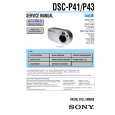 $4.99 DSCP41 SONY
Service Manual Complete service manual in digital format (PDF File). Service manuals usually contains circuit diagr…
|
|
|
> |
|