|
|
|
Categories
|
|
Information
|
|
Featured Product
|
|
|
 |
|
|
There are currently no product reviews.
 ;
It is perfect, exactly what we needed. It's like the paper version but less clutter.
 ;
Received my manual within 24 hours. Very clear scan of the manual I needed. Thanks!
;
Very clear scan, I recommend it. Definitely a must have for any 3362 owner.
Alpine could have written a slightly more complete manual, though. It's already pretty huge, but the unit has so many functions, I feel some more explanation would have been better.
Yamaha's manual of their comparable YDSP-1 is a little better in my opinion.
;
Immediate response with excellent service - highly reccommended
;
Correct manual received and of good quality but the contents of the file for the Service Manual for the same monitor is for a 20" TV not the RGB Monitor.
/
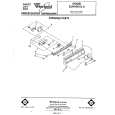
Cycle Control Knob
Selecting a cycle
POTS 0 PANS Cycle
Maximum cleaning for cookedor baked-on foods. Timer delays while the dishwasher automatically heats the water to 145°F (63°C) in both washes and the last rinse (marked �). Cycle time will be about 1% to 2 hours, depending on time needed to heat water.
HEAVY WASH Cycle
A double wash for heavily soiled loads. Cycle time is about 70 minutes.
NORMAL WASH Cycle
For normal, everyday soiled loads. (The Energy Guide Label data is based on this cycle.) Cycle time is about 60 minutes.
RINSE & HOLD Cycle
For rinsing a few items to be washed one or more days later. Cycle time is about 10 minutes. Use AIR DRY only.
Changing
a setting
during
You can change a setting anytime any cycle. 1. Unlatch the door to stop the cycle.
2. With the Cycle Control Knob pulled out, turn clockwise to the cycle you want. 3. Be sure the detergent dispensers are filled properly for the new cycle. 4. Latch the door to start the cycle.
|
|
|
> |
|