|
|
|
Categories
|
|
Information
|
|
Featured Product
|
|
|
 |
|
|
There are currently no product reviews.
 ;
Great service. Manual is as advertised and delivered when promised.
;
Perfect quality, highly appreciated service !!!
Fast delivery of the download info, no issues at all. Recommended E-manual shop !!!
;
hi owners manual- crew,
i am very satisfied about the trade with you.
if i need some other manuals, i will contact you again.
thanks
frank kappler
;
Full Panasonic service Manual, as described, no problems
;
This place is amazing. Got our manual in a few hours. Print quality is excellent. Even the manufacturer didn't have this manual. The price was excellent. How many more stars can I give them? More than satisfied.
Before starting your dishwasher
1. Spin the Upper Spray Arm to make sure nothing will stop it from turning freely 2. Push door firmly when closing and it will automatically latch. 3. Run hot water at sink nearest dishwasher until it is hot. Turn it off.
Starting your dishwasher
POTS & PANS cycle...
1. Push POTS& PANSClean Selector Button. 2. Push button for option desired. 3. Turn Cycle Control Knob clockwise to dot marked POTS& PANS. - POTS% PANS and NORMAL WASH Cycles share the same spot on the dial. The Clean Selector Button determines which cycle operates. The dishwasher will automatically start that cycle.
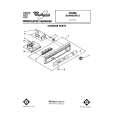
.# CLEANSELECTOR BUlTONS
NORMAL WASH cycle...
1. Push NORMAL WASH Clean Selector Button. 2. Push button for option desired. 3. Turn Cycle Control Knob clockwise to dot marked NORMAL WASH. - NORMAL WASH and POTS% PANS Cycles share the same spot on the dial. The Clean Selector Button determines which cycle operates. The dishwasher will automatically start that cycle.
LIGHT WASH cycle...
1. Push LIGHTWASHClean Selector Button. -LIGHT WASHand NORMAL WASHCycles share the same Clean Selector Button. The Control Knob setting determines which cycle operates. 2. Push button for option desired. 3. Turn Cycle Control Knob clockwise to dot marked LIGHTWASH.The dishwasher will automatlcally start that cycle.
RINSE & HOLD cycle...
1. Push NORMAL WASH Clean Selector Button. 2. Select AIR DRY Option only. 3. Turn Cycle Control Knob clockwise to dot marked RINSE % HOLD. The dishwasher will automatically start that cycle.
HEAT DRY or AIR DRY?
If the HEAT DRY Option is selected, air in the dishwasher is heated during the �dry� part of the cycle. If the AIR DRY Option is selected, air in the dishwasher is not heated. Using this option helps
save energy, but dishes take longerto dry (overnight] and-some water spotting may- result. Some items (such as plastics] may need towel drying. For best results, use a liquid Jet-Dr)F rinse aid such as
To add a dish after starting
item is washed and rinsed, make sure the Cycle Control Knob has not passed LIGHT WASH. 2. Push up on door latch to unlatch door and stop the cycle. 3. Open the door and add the dish.
4. Close the door. Do not latch it. Wait 30 seconds for air in the dishwasher to warm up. This helps reduce the amountof moisture thatcan come from the vent when restarting the cycle. 5. Press in door to latch it. The dishwasher will start where it stopped.
1. To be sure the added
|
|
|
> |
|