|
|
|
Categories
|
|
Information
|
|
Featured Product
|
|
|
 |
|
|
There are currently no product reviews.
 ;
GOOD SERVICE MANUAL GOT ALL THE INFO. THAT I NEEDED..
;
Excellent product and service. I bought a second-hand Casio CPS-60 keyboard which had no manual. Packed full of features which I had no idea how to operate . . .
Google search found this site (and others with the same manual for sale for $8.99!)
I bought the manual and within an hour the download was available. Quality of the scanned images is good - very clear - and the PDF has been created with the pages in the correct order.
I would definitely use this site again.
;
I found this rare manual, in french ! The brand of my washing machine is not famous but this site had the manual, that is perfect.
;
The manual was everything that I wanted. Clearly printed and delivered in very quick time. Would certainly use again if I needed a manual in the future
;
I received the manual in correct time. It was a perfect help for me.
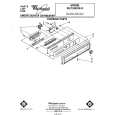
WATER HEATING
HOLD SIGNAL
LIGHT
DELAY�WASH LIGHT
SIGNAL
LIGHT
CYCLE CONiROL
KNOB
CLEAN SIGNAL
Selecting a cycle
POTS & PANS Cycle
Maximum cleaning for cookedor baked-on foods. Timer delays whrle the dishwasher automatically heats the water to 145 F (63 C] in both washes and the last rinse (marked *). Cycle time will be about 1% to 2 hours, depending on time needed to heat water.
HEAVY WASH Cycle
A double wash for heavily soiled loads. Cycle time is about 75 minutes.
NORMAL WASH Cycle
For normal, everyday soiled loads. (The Energy Guide Label data is based on this cycle.) Cycle time is about 65 minutes.
LOW ENERGY WASH Cycle
For pre-rinsed loads. Cycle minutes. or lightly soiled time is about 60
RINSE & HOLD Cycle
For rinsing a few items to be washed one or more days later. Cycle time is about 15 minutes. Use AIR DRY only. Do not use HI-TEMP WASHING Option.
Changing a setting
You can change a setting anytime during any cycle. 1. Press in the door latch to unlatch the door and stop the cycle.
2. Turn the Cycle Control Knob clockwise to the cycle you want. 3. Be sure the detergent dispensers are filled properly for the new cycle. 4. Close and latch the door. The dishwasher will automatically start the new cycle.
The RESET OPTIONS
If you want to change a selected
Button
option,
optionif desired, push the RESET OPTIONS
Button. Re-select
an 0
|
|
|
> |
|