|
|
|
Categories
|
|
Information
|
|
Featured Product
|
|
|
 |
|
|
There are currently no product reviews.
 ;
Please tell us what you think and share your opinions with others. Be sure to focus your comments on the product. You will receive $2.00 of store credit for Your review.
;
Please tell us what you think and share your opinions with others. Be sure to focus your comments on the product. You will receive $2.00 of store credit for Your review.
;
Good copy and great customer service! There was some confusion with my order and it was resolved promptly!
;
Having bought a pre-owned Sony FM stereo tuner through eBay, it came without any manuals. It soon became clear that to get the best from this excellent tuner I needed a decent manual because much of the operation was not intuitive to a newboy to hi fi like me. I managed to download the official Sony multi-lingual manual from Owner-Manuals.com with no problem at all - a really quick and easy service. I'm very glad I did because I found out all the operations of the tuner and was then able to not only set it up quickly but also to get much more from it that poke-and-hope trialling would ever achieve. In my book $4.99 very well spent.
;
This manual is immaculate in it's accuracy. Everything is written very clearly and easy to understand. Written by a professional who wants to convey a clear and easy to understand message!!
Before starting your dishwasher
1. Read �Important Safety Instructions� on page 2 before starting your dishwasher. 2. Spin the Upper and Lower Spray Arms to make sure nothing will stop them from turning freely. 3. Push door firmly when closing and it will automatically latch. 4. Run hot water at sink nearest dishwasher until it is hot. Turn it off
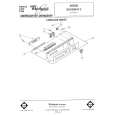
CYCLE SELECTOR BUTTON
1. OPTION SELECTOR BUTTONS
Starting your dishwasher
POTS & PANS cycle...
1. Turn Cycle Control Knob clockwise to dot marked POTS 81PANS. [POTS & PANS and NORMAL WASH Cycles share the same spot on the dial. The Selector Buttons determine which cycle operates.] The dishwasher will automatically start. 2. Push the POTS & PANS Selector Button only. (The HEAT DRY option is preset. The AIR DRY option can not be selected.)
NORMAL WASH cycle...
1. Turn Cycle Control Knob clockwise to dot marked NORMAL. (NORMAL WASH and POTS & PANS Cycles share the same spot on the dial. The Selector Buttons determine which cycle operates.) The dishwasher will automatically start. 2. Push the HEAT DRY or AIR DRY Selector Button.
LIGHT WASH cycle...
1. Turn Cycle Control Knob clockwise marked LIGHT WASH. The dishwasher tomatically start. 2. Push the HEAT DRY or AIR DRY Selector to dot will auButton.
RINSE & HOLD cycle...
1. Turn Cycle Control Knob clockwise to dot marked RINSE & HOLD. The dishwasher will automatically start. 2. Push the AIR DRY Selector Button only.
Selecting
a cycle
POTS & PANS Cycle
Maximum cleaning for cookedor baked-on foods. Timer delays while the dishwasher automatically heats the water to 145 F (63 C] in both washes and the last rinse [marked �1. Cycle time will be about I!/2 to 2 hours, depending on time needed to heat water
NORMAL WASH Cycle
A double wash for normal to heavily soiled loads. [The Energy Guide Label data is based on this Cycle.] Cycle time is about 63 minutes. lal -
lil�l�l
IA
LIGHT WASH Cycle
For normal, everyday soiled loads Cycle time is about 58 minutes.
8
|
|
|
> |
|