|
|
|
Categories
|
|
Information
|
|
Featured Product
|
|
|
 |
|
|
There are currently no product reviews.
 ;
Great price, Quick delivery, the document was very usefull A+++++++++++++++
;
Thank´s for your help, I already recived these manual from you
;
Thank you for your manual It has the basic things to and i use the Oszi for Longer Time.
THX
;
Actually, I was looking for this information for 3 years!...now thanks to you, the manual is on my hands and of great help, cause I understand now where I was doing wrong connections and wires...excellent, I'll be back to you if in need, thank you.
 ;
This manual covers the main equipment features only. While it also includes the procedure for saving and loading from the now long obsolete memory cards it does not mention the how to operate with the optional floppy drive interface so I am still at a loss about how to use this! Note that there is a separate manual covering the MIDI interface and programming via the keyboard, not included in this download. You will also need to get hold of this if you want to use the MIDI interface properly. Basically there is little difference between this manual and the free to download manual for the similar PR60 model.
Pictures or videos There is not enough light � Remove the light on the subject. are too dark. or the auto exposure is or keying in on a bright area � Remove any bright light sources of the scene. from the scene. Pictures or Videos There is too much light are too light. or the auto exposure is keying on a dark area of the scene. Pictures or Videos There is not enough are noisy or light. grainy. Decrease the amount of light in the scene.
� Increase the light on the subject. or � Select a Finished Size for the pictures or videos which is smaller than the maximum available. If the Auto White Balance does not correct itself within 30 seconds, correct the colors by using the Hue slider in the �Device Settings� window under the �Image Process� button (Windows �98) (or the Hue slider in the �Settings� option under �Video Settings� on Windows �95). If the Auto Exposure does not correct itself within 30 seconds, change the exposure manually by adjusting the Brightness slider in the �Device Settings� window under the �Image Process� button (Windows �98) (or the Brightness slider in the �Settings� option under �Video Settings� on Windows �95).
Troubleshooting
The image has strange coloring.
In extreme low light or bright light, or changing lighting conditions, the Auto White Balance can fail to provide the best results.
The image is too light or too dark.
When moving the camera between extreme low light and extreme bright light, the Auto Exposure may fail to provide the best results.
23
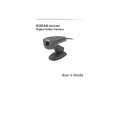 $4.99 DVC325 KODAK
User Guide It's a complete guide ( also known as operating manual or owner's manual), and it's in PDF format. A…
|
|
|
> |
|