|
|
|
Categories
|
|
Information
|
|
Featured Product
|
|
|
 |
|
|
There are currently no product reviews.
 ;
Impressively thorough. Even the simple operators manual helped me "fix" one of the 2 CD players in the unit. This unit reads CD's from the top so they should be installed in the magazines "upside down" from typical CD players. The CD player service manual helped me unjam a stuck carriage because somebody transported the box laying down loaded with CD's. A little lens cleaning & the player now works well! Thanks for you help at a great price! Joe
;
I was skeptical at first but later found the manual to be good quality for the price. It took a couple hours to receive the email with the download link, well worth the wait. Thanks.
;
very helpful, I could not have cleaned motherboard and replaced the main fan without it
 ;
Good manual, schematics nice and clear with good quality scanning. Woul dhave been nice to have immediate access after purchasing though.
;
I was very glad recieving the service manal from You. Manuals were delivered promptly and were correct as advertised. A complete and very usefull service manual with all details. Thank you!
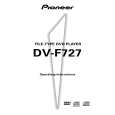
DV-F727, DV-F07
-
¡ ¢ (forward) button
Press to advance to chapters/tracks. Press and hold to perform fast-forward scanning. When using the front panel to edit input text, use to move the position of the cursor.
$ %
OPEN/CLOSE button
Press to open and close the hood.
SINGLE LOADER PLAY button
Press to play the disc loaded in the single loader slot. This button can be used at any time, even if another disc is being played.
=
CLEAR button
Use to cancel repeat and random playback, edit programs, and clear text entries.
^ ~
8 (pause) button
Press during playback to pause. Press again to continue playback.
SINGLE LOADER ACCESS button
Press to have the hood open and the single loader slot brought to the front position.
& !
3 (play) button
Press to start disc playback.
RANDOM button
Press to start random playback.
* @ #
7 (stop) button
Press to stop playback.
Remote sensor
Point the remote control toward the remote sensor to operate the player.
KEYBOARD/MOUSE connection jack
A PS/2 compatible keyboard or mouse can be connected to this jack for easy entry and editing of text information.
( )
STANDBY/ON button
Press to switch the player on or to put in standby.
STANDBY indicator
Indicates that the player is in standby, using a minimum amount of power to maintain system settings.
Display Window
VIDEO CD DISC TITLE
TRK CHP
REMAIN TOTAL
CD DVD
DOLBY DIGITAL
PBC PLAY 96 kHz
CD TEXT ANGLE PREVIOUS SCAN BEST PROGRAM RANDOM REPEAT COND. MEMORY LAST MEMORY
ALL SINGLE CUSTOM AUDIO VIDEO
GUI
CD TEXT ANGLE PREVIOUS SCAN BEST PROGRAM RANDOM REPEAT COND. MEMORY LAST MEMORY
97
|
|
|
> |
|