Shopping cart is empty
 
English Polski Spanish 
Search For a Manual
 

(e.g. AA-V20EG JVC, ZX-7 Sony )
PayPal 1000+ rating Secure, Encrypted Checkout.
 
Categories
Information
Featured Product
Home >> HITACHI >> DVP250AM Service Manual
 
 0 item(s) in your cart 

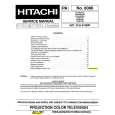
HITACHI DVP250AM
Service Manual


Tweet about this product and get $1.00 of store credit for instant use!
  • Contains Circuit Diagrams
  • Download
  • PDF Format
  • Complete manual
  • Language: English
Price: $4.99

Description of HITACHI DVP250AM Service Manual

Complete service manual in digital format (PDF File). Service manuals usually contains circuit diagrams, printed circuit boards, repair tips, wiring diagrams, block diagrams and parts list. Service Manual ( sometimes called Repair Manual ) is used mainly by technicians.

If You just want to know how to use Your tv, video, mp3 player etc. You should look for Owner's Manual. After placing order we'll send You download instructions on Your email address.

The manual is available in languages: English

Not yet ready
You must purchase it first

Customer Reviews
There are currently no product reviews.
Other Reviews
 5001 MUSIC-CENTER SCHAUB-LORENZ Service Manual by Gerhard Flaig;
everything was fine - fast, readable, worth the price
 SC-LAMBDA99 TOSHIBA Service Manual by Gunter Maschke;
I'm happy to get a manual from this rare old amp. The pdf is from good qualty.
 MXP42 SONY Service Manual by Adrian Redmond;
very quick service and manual as described - would happily trade here again!
 TA-AX285 SONY Service Manual by sidney benning;
Fast Download,all pages present,an excellent copy.THis enabled to find the origional part numbers and chase them up. The cartridge is proving difficult to find but at least I know the origional part number.Thanks to all.
 WQCH600LGY SHARP Service Manual by Martin Tyo;
The manual was as described. Complete with parts list and technical information. Fast delivery.

Text excerpt from page 35 (click to view)
Removing the Power Supply Board
1. 2. Disconnect the two cables and remove the screw from the power supply board. Then, remove the two screws of the power socket on the rear panel of the machine.

3.

Slightly lift up and take away the power supply board.

Removing the DVD-ROM Drive
1. Remove the two screws from each side of the DVD-ROM drive, then remove the DVD-ROM drive.

2.

Disconnect the power cable and the IDE cable from the DVD-ROM drive.

32

Chapter 2

You might also want to buy

$4.99

SX-K700 TECHNICS
Owner's Manual

Complete owner's manual in digital format. The manual will be available for download as PDF file aft…

$4.99

CJ-V51 PIONEER
Service Manual

Complete service manual in digital format (PDF File). Service manuals usually contains circuit diagr…

$4.99

GRAND PRIX ELECTRONIC 754 BECKER
Service Manual

Complete service manual in digital format (PDF File). Service manuals usually contains circuit diagr…

$4.99

SX-PR602 TECHNICS
Service Manual

Complete service manual in digital format (PDF File). Service manuals usually contains circuit diagr…

$4.99

EV-S1000E SONY
Owner's Manual

Complete owner's manual in digital format. The manual will be available for download as PDF file aft…

$4.99

GRAND PRIX ELECTRONIC 780 BECKER
Service Manual

Complete service manual in digital format (PDF File). Service manuals usually contains circuit diagr…

$4.99

AG7330 PANASONIC
Service Manual

Complete service manual in digital format (PDF File). Service manuals usually contains circuit diagr…

$4.99

MECABLITZ 60 CT4 METZ
Service Manual

Complete service manual in digital format (PDF File). Service manuals usually contains circuit diagr…
>
Parse Time: 0.23 - Number of Queries: 135 - Query Time: 0.074