|
|
|
Categories
|
|
Information
|
|
Featured Product
|
|
|
 |
|
|
There are currently no product reviews.
 ;
I was so pleased to get the owner`s manuel within one hour! Thanks again.
Regards
Werner
;
Finding the owners manual for my Pioneer CRWM62R is greatly appreciated. I had searched several other web sites with no success. Although my manual was not listed on your site for immediate download, I recevied an email within a few hours that my ower's manual was posted for me. I had no difficulty downloading the manual for my 20 year old multi-cassette player. Owner Manuals provides a service that is valuable, easy-to-use, accurate , efficient, and priced fairly. I thank you.
;
Excellent manual - just what I needed. Although currently available only in German, their are lots of pictures which makes it all very clear.
;
PHILIPS PE1642 Owner's Manual
Hi,
you have complet fullfilled my expectance.
Price is OK.
Robert Schmid
 ;
Came in the mail within a few hours. Gave clear instruktion on maintaines. Is of great use to have this manual in house
3. TROUBLESHOOTING
3-1. Test Mode is not activated With the set assembled in the front panel, the Test mode does not become active if any button was pressed by any reason.Under this condition, the power is not turned on even in the normal status. (The set is kept in Standby status = Red LED is kept on) Not only the buttons are inactive, but also a signal from remote commander is not accepted. To check this condition, with the self check port (pin wh of IF CON) kept in �Low� status, supply the AC power, so that the Test mode is forcibly activated. On the board, short the lands where SELF is printed. The IF CON checks the self check port only after the power on reset (only when AC is supplied; not in Standby status). If any button was pressed, the button name should be displayed on the FL display tube. Though no button is pressed this time, display of other than NOTHING implies that the button was pressed. 3-2. Power is not turned on 1 Red (STANDBY) LED does not light up when AC was supplied. The power (PDET=5 V) is not supplied. X401 is oscillating. 2 Red (STANDBY) LED is kept on though POWER button was pressed. Any button is kept pressed. PONCHK (IF CON pin 6) is over 0.1 V. 3 Green LED lights up when POWER button was pressed, but red LED lights up again after several seconds. PONCHK (IF CON pin 6) is abnormal. (Slow rise time from 0.1 V to 2.5 V. Voltage must be less than 2.5 V) SYSTEM CONTROL does not operate normally. 3-3. Power is turned on and off repeatedly EVER 5 V may not be supplied normaly. Check that P301 (MPW1240/MPW1311) is not broken.
6-18 E
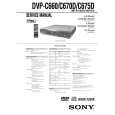 $4.99 DVPC660 SONY
Service Manual Complete service manual in digital format (PDF File). Service manuals usually contains circuit diagr…
|
|
|
> |
|