|
|
|
Categories
|
|
Information
|
|
Featured Product
|
|
|
 |
|
|
There are currently no product reviews.
 ;
Excellent printing quality.
A complete and very usefull service manual with all details.
GREAT SERVICE AT VERY LOW PRICE!
A+++++++++++++++++++++++++
;
Excellent printing quality.
A complete and very usefull service manual with all details.
GREAT SERVICE AT VERY LOW PRICE!
A+++++++++++++++++++++++++
;
Very fast and perfect delivery. Clear and well scanned. A lot of work professionally realized.
Again thak you a lot
 ;
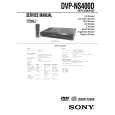
This manual is accurate and of high quality. It is only volume 2 of the service manual. This is schematic, parts lists, and exploded mechanical drawings. The theory of operation and the diss-assembly instructions are in volume 1. The unit can be tricky to dis-assemble portions of so the volume 1 manual can be important. The product description of the manual is accurate but it does not say anything about volume 1 and the image of the front page does clearly say Volume 2.
;
Wellll again thank you very much fast and effective. Clear and well done for such an old TV!!!!
Selected setting
SCREEN SETUP TV TYPE: SCREEN SAVER: BACKGROUND:
16:9 ON JACKETPICTURE
Setting the Display or Sound Track Language
(LANGUAGE SETUP)
To turn off the Setup Display Press DISPLAY repeatedly until the Setup Display is turned off. z If you select �QUICK� in Step 3, you will enter the
Quick Setup mode (page 25). Follow from Step 5 of the Quick Setup explanation to make basic adjustments.
�LANGUAGE SETUP� allows you to set various languages for the on-screen display or sound track. Select �LANGUAGE SETUP� in the Setup Display. For details on using the display, see �Using the Setup Display� (page 65).
LANGUAGE SETUP OSD: DVD MENU: AUDIO: SUBTITLE: ENGLISH ENGLISH ORIGINAL ENGLISH
z If you select �RESET� in Step 3, you can reset all
of the �SETUP� settings on page 83 to 85 (except for PARENTAL CONTROL) to the default settings. After you select �RESET� and press ENTER, select �YES� to reset the settings (it takes a few seconds to complete), or select �NO� and press ENTER to return to the Control Menu. Do not press POWER or [/1 when resetting the player.
xOSD (On-Screen Display) Switches the display language on the screen. Selects the language from the displayed list. xDVD MENU (DVD only) You can select the desired language for the DVD menu. xAUDIO (DVD only) Switches the language of the sound track. Selects the language from the displayed list. When you select �ORIGINAL,� the language given priority in the disc is selected. xSUBTITLE (DVD only) Switch the language of the subtitle. Select the language from the displayed list. When you select �AUDIO FOLLOW,� the language for the subtitles changes according to the language you selected for the sound track.
66
|
|
|
> |
|