|
|
|
Categories
|
|
Information
|
|
Featured Product
|
|
|
 |
|
|
There are currently no product reviews.
 ;
The Service Manual for the Kenwood KR-V55R provided by owner-manuals.com was as described/advertised. The contents provided the necessary information to effect a diagnosis of the unit. The schematics above all else was instrumental in tracing the the signal flow from component to component.
 ;
This manual was the factory original. Excellent value and contained all the details I needed. Easy dowwnload provided the information when I needed it.
;
Impeccable, document très complet. Perfect, i get all i need. All schematic are correct. Thanks
;
The manual is of better quality compared to other. I found it less expensive and therefore it it is the best buy cost vs quality.
;
I bought the service-manual of the sony ICB-1020(an old transmitter-receiver) at "www.Owners-Manual.com", I found the service-manual for a fairly cheap price(in comparison with other sellers). I filled in some questions, payed the order with Ideal, and within 24 hours I had my service manual. I was very happy:In no time I had my service-manual and everything, but literally everything was noted down in the manual; the electronic scheme, the parts list, etcetera.
A very practical, reference-document.
5
6
7
8
8.3 DISPLAY
Display
A
12
3
4
5
678
9
10 11
12
B
13
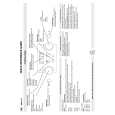
1 3 PLAY Lights during playback; blinks when paused. 2 REC Lights during recording; blinks when recording is paused. 3 PL Lights when a VR mode disc is loaded and the recorder is in Play List mode. 4 PM Lights to indicate PM (after midday) for the clock display. 5 23 Shows the remote control mode (if nothing is displayed, the remote control mode is 1). 6 REM Lights when the character display is showing the remaining available recording time. 7 Lights when the component video output is set to progressive scan. 8V Lights when an unfinalized Video mode disc is loaded. 9 R / RW Indicates the type of recordable DVD loaded: DVD-R or DVD-RW. 10 CH Channel indicator for the built-in TV tuner. 11 Lights when a timer recording has been set. (Indicator blinks if the timer has been set but there isn�t a recordable disc loaded.) AUTO Lights when Auto Start Recording has been set, and during Auto Start Recording. 12 Recording quality indicators
14 15
�
FINE Lights when the recording mode is set to FINE (best quality). SP Lights when the recording mode is set to SP (standard play). LP Lights when the recording mode is set to LP (long play). EP Lights when the recording mode is set to EP (extended play). MN Lights when the recording mode is set to MN (manual recording level) mode. 13 Character display 14 Channel recording indicators
D
C
Indicates which channels are recorded when Dual Mono is selected. SAP Lights when the currently selected TV channel has a Second Audio Program channel. 15 OVER Lights when the analog audio input level is too high.
E
F
DVR-220-S
5 6 7 8
119
|
|
|
> |
|