|
|
|
Categories
|
|
Information
|
|
Featured Product
|
|
|
 |
|
|
There are currently no product reviews.
 ;
I did not have the manual for a Whirl Pool gas dryer, therefore I purchased it from Owner-manuals. This is exactly what I needed. Thank you for the service.
 ;
I was so pleased to get the owner`s manuel within one hour! Thanks again.
Regards
Werner
;
Finding the owners manual for my Pioneer CRWM62R is greatly appreciated. I had searched several other web sites with no success. Although my manual was not listed on your site for immediate download, I recevied an email within a few hours that my ower's manual was posted for me. I had no difficulty downloading the manual for my 20 year old multi-cassette player. Owner Manuals provides a service that is valuable, easy-to-use, accurate , efficient, and priced fairly. I thank you.
;
Excellent manual - just what I needed. Although currently available only in German, their are lots of pictures which makes it all very clear.
;
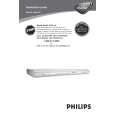
PHILIPS PE1642 Owner's Manual
Hi,
you have complet fullfilled my expectance.
Price is OK.
Robert Schmid
52
Speaker setting
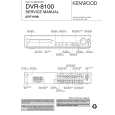
DVR-8100 (EN)
The ideal listening position for 6-channel surround playback is the point at equal distance from all speakers. By setting the delay time for the center and surround speakers, this item realizes the ideal listening position virtually. (The center and surround speakers can be set as if they are laid out on the dotted line circle shown below.)
Ideal center speaker position
How to set the delay time
Delay time setting sets the delay time converted to the distance from the speaker to the listening position. The front speakers (L/R) can be adjusted between 40 feet (12 m) and 3 feet (0.9 m). The range which can be set for the center speaker (C) and the surround speakers (LS/RS) differs according to the setting for
Ideal surround speaker position
L
SW
C
R
L
C
R
S L
S
S R
the front speakers. A longer distance than for the front speakers can not be set.
Delay time setting
This operation must be performed following the adjustment of the speaker level setting on page 51. 1 Press SETUP key.
AUTO TUNED ST. CLIP L SW C LFE S RS R
Blinks
Operations
SETUP
LS
Active EQ./ SOUND
Return to the original display is made when no operation is performed for about 5 seconds.
Feet indication Meter indication
2 Press the TRIM (5/�) keys to select the speaker distance.
5
TRIM
AUTO TUNED
ST. CLIP L SW C LFE R
�
3 Press SETUP key.
SETUP
LS
S
RS
The process advances to center speaker adjustment when the SETUP key is pressed.
AUTO TUNED ST. CLIP L SW C LFE R
Active EQ./ SOUND
LS
S
RS
4 Press the TRIM (5/�) keys to select the speaker distance.
AUTO TUNED ST. CLIP L C SW LFE R
5
LS
S
RS
TRIM
�
Repeat 3 and 4 in the same way to adjust the surround speakers.
|
|
|
> |
|