|
|
|
Categories
|
|
Information
|
|
Featured Product
|
|
|
 |
|
|
There are currently no product reviews.
 ;
Easy to order the manual. Good quality and fast delivery.
;
The Service Manual for Sansui AU-9500 was very helpfull, in complete and in good printable condition.
Thanks.
;
Dear Sir,
Document is original service document of sharp. I had a problem with the door contacts. Fuses where blown. With the manual in a few minuts is was clear what the problem was.
Manual was of great help.
With kind regards,
Martie Verhoeven
The Netherlands.
 ;
The scan is clear and well readable with very few weaker spots, usually on black background with white letters, but with enough zoom those spots can be read.
Printout is clear, the manual is complete and has all pages scanned.
I would give 5 stars, except that it is not in color, and the schematic and PCB pages are scanned on multiple pages. The document is locked (except printing) so the pages can not be extracted to compose them together for printing on the large plotter
It is worth the price tag.
;
let's say first that i do not need to have a credit for my opinion, i am a retired sparkie and i voluteerd to fix an electronic device for a local "Youthgroup",as no diagram was present i checked the "net" and gambled on this site and paying some fee via PayPall, i was gladly surprised that the manual arrived as was stated, GOOD SHOW, and best wishes, John
DV-S555
Disassembly of the Traverse Mechanism Assy
1 2 3 4 5 6
Remove the top cover and Tray Panel. Remove the Tray panel and Front Panel. Remove the Bridge (Screw 1). Pull out the Tray and remove it while unhooking a Hook. Turn the Short SW to Short side. Remove three connectors.
7 8
Remove the Loading Mechanism Assy (Screws 4). Remove a screw.
Cautions:
Screw is locked with Silicone Adhesive. Please lock it with Silicone Adhesive when installs it. Remove the FFC Holder with the state which Flexible Cable was attached. 8 Silicone Adhesive GEM1037 Traverse Mechanism Assy
9
4
-1
Hook Bridge
9 3 -1 6 6
3
-2
6
FFC Holder
4
-2
DVD main PC board assy
RearView
Bottom View
Short
DVD main PCB side
Open
5
Short SW
When Removing The Traverse Mechanism Assy
Caution in the tray insertion
In the Tray insertion, insert it after matching a triangle mark of the Loading Base and a position of pin of the Drive Cam. Triangle mark Loading Base
10 11 12
Remove the Pickup Flexible Cable Unhook ( 4) Remove the Traverse Mechanism Assy
11
2
12
10
11
2
Traverse Mechanism Assy
Pin
Drive Cam
Exchange
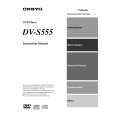 $4.99 DVS555 ONKYO
Owner's Manual Complete owner's manual in digital format. The manual will be available for download as PDF file aft…
|
|
|
> |
|