|
|
|
Categories
|
|
Information
|
|
Featured Product
|
|
|
 |
|
|
There are currently no product reviews.
 ;
Manual was destroyed and this purchase made it possible to recover my manual . It was easy to down load and smooth to use thanks .
 ;
Turns out this was not the manual i was looking for. The concertmate 670 keyboard i have is a "Realistic" model made for Radio Shack and none of the diagrams on the owners manual i received matches up. HOWEVER, I must say the service Owners Manual provides was fast and efficient by being available online. The manual was in good readable condition and easily downloaded.
;
Great price, Quick delivery, the document was very usefull A+++++++++++++++
;
Thank´s for your help, I already recived these manual from you
;
Thank you for your manual It has the basic things to and i use the Oszi for Longer Time.
THX
DX-C34_En.book Page 10 Monday, September 27, 2004 1:25 PM
Before Using the DX-C34
Installing the Remote Controller�s Batteries Using the Remote Controller
To use the remote controller, point it at the DX-C34�s remote control sensor, as shown.
DX-C34
1
Remove the battery compartment cover, as shown.
Remote control sensor
30°
30°
Ap
.1 rox p
6 ft
. (5
m
)
2
Insert the two supplied batteries (AA/R6) in accordance with the polarity diagram inside the battery compartment. Notes: � The remote controller may not work reliably if the DX-C34 is subjected to bright light, such as direct sunlight or inverter-type �uorescent lights. Keep this in mind when installing the DX-C34. � If another remote controller of the same type is used in the same room, or the DX-C34 is installed close to equipment that uses infrared rays, the remote controller may not work reliably. � Don�t put anything, such as a book, on the remote controller, because the buttons may be pressed inadvertently, thereby draining the batteries. � The remote controller may not work reliably if the DX-C34 is installed in a rack behind colored glass doors. Keep this in mind when installing the DX-C34. � The remote controller will not work if there�s an obstacle between it and the DX-C34�s remote control sensor.
3
Replace the battery compartment cover.
Notes: � The batteries should last for about six months, although this will vary with usage. � If the remote controller doesn�t work reliably, try replacing the batteries. � Don�t mix new and old batteries or different types of batteries. � If you intend not to use the remote controller for a long time, remove the batteries to prevent damage from leakage or corrosion. � Flat batteries should be removed as soon as possible to prevent damage from leakage or corrosion.
10
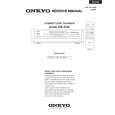 $4.99 DX-C34 ONKYO
Service Manual Complete service manual in digital format (PDF File). Service manuals usually contains circuit diagr…
|
|
|
> |
|