|
There are currently no product reviews.
 ;
Speedy confirmation to my order , with elaborate instructions .
Item Email , received immediately as desired by me.
A Pleasant & Satisfying Transaction.
;
I was searching for this manual at last i got it from this web
;
What can i say but i would have been lost without your support.
Thank You!
;
Très satisfait ! envoi rapide, Grand catalogue disponible. Many thanks !
;
Delivery came quite promptly and in a very readable format. Thank you.
Text Messages
Broadcast
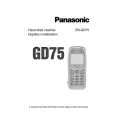
You need to specify the topic(s) of information that you wish to receive as broadcasts before you can receive them. 1 From Idle Z Q, select Messages > Broadcasts > Topics Z Q 2 Z Q twice to insert a new topic 3 Use e to cycle through the available topics 4 Z Q to insert the currently displayed topic into your broadcast list
Enabling/Disabling Broadcasts
From Idle Z Q, select Messages > Broadcasts Z Q 2 Select Receive Z Q When enabled, following the same procedure will disable broadcasts. 1
Message List
This is a store for the last received broadcast messages. Messages can be deleted from here.
Language
The language in which broadcast messages are displayed can be changed (R).
36
|