|
There are currently no product reviews.
 ;
I was so pleased to get the owner`s manuel within one hour! Thanks again.
Regards
Werner
;
Finding the owners manual for my Pioneer CRWM62R is greatly appreciated. I had searched several other web sites with no success. Although my manual was not listed on your site for immediate download, I recevied an email within a few hours that my ower's manual was posted for me. I had no difficulty downloading the manual for my 20 year old multi-cassette player. Owner Manuals provides a service that is valuable, easy-to-use, accurate , efficient, and priced fairly. I thank you.
;
Excellent manual - just what I needed. Although currently available only in German, their are lots of pictures which makes it all very clear.
;
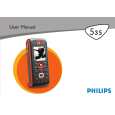
PHILIPS PE1642 Owner's Manual
Hi,
you have complet fullfilled my expectance.
Price is OK.
Robert Schmid
 ;
Came in the mail within a few hours. Gave clear instruktion on maintaines. Is of great use to have this manual in house
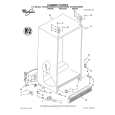
Removing
the crisper
and crisper
cover
Pull out to the stop, lift the front and pull again.
To remove the crisper: 1. Slide the crisper straight out to the stop.
2. Lift the front slightfy. 3. Slide out the rest of the way. 4. Replace in reverse order.
To remove the cover: 1. Hold cover firmly with both hands and lift
front of cover off supports. 2. Lii cover out by pulling up and out.
To replace the cover: 1. Fit back of cover into notch supports on
walls of refrigerator. 2. Lower front into place.
Lift the cou �er front, then the back.
Adjusting
the crisper
humidity
control
You can control the amount of humidity in the moisture-sealed crisper. l The control can be adjusted to any setting between LOW and HIGH. l LOW (open) lets moist air out of the crisper for best storage of fruits and vegetables with skins. l HIGH (closed) keeps moist air in the crisper for best storage of fresh, leafy vegetables.
11
|