|
|
|
Categories
|
|
Information
|
|
Featured Product
|
|
|
 |
|
|
There are currently no product reviews.
 ;
It's a grate service manuals.Have many details and the writing it's so clear.You have all you want in manual,nothing missing,belive me.I'm verry satisfied of this manual.
;
Great scanned service manual
Usefull informations.
I will buy again!
Best Regards
;
The manual describes this product very good. It has the basic things to know and also a more detailed look. Very well made!
;
An excellent document to assist in the repair of my old personal tape player. It includes full circuit diagrams and physical layout drawings and full instructions on disassembly and fault finding.
Well worth the meagre price.
;
Very good conversation, Pretty fast Service, wood do it again,
Have paid by Paypal, so i got the Service Manual online after 15 Min.
Very helpfully.
Greeting from Germany,
Hans
PC-UM10M
9. SELF CHECK
Before self check, save the data into another unit or put them on paper.
9-1. Diag procedure
No. 1 Operation 1 Set the key unit to Surface B (Blue). 2 The main battery and the backup battery are installed. Check to confirm the above two items. Press and hold [2ndF] key and [x/θ/T/η] key, and close the battery cover. (a)
EL-9900 Main Menu 1:DIAG 2:AGING FAST 3:AGING SLOW 4:LB CHECK Ver .
*1 *2
Display
Check item Check that the display (a) is shown.
*1. Check that the version is k. k k.
(Refer to the 9-3.Note (Version and CHECK SUM))
*2. Check that Key Type is B. *3. Check that Contrast is A.
KEY : B *3 CONT : A Page : 1
If the display (a) is not shown, press and hold [ON] key and press RESET switch. Then perform procedure No.1 again. If the display (a) would not be shown by that, it is �NG�.
2
Press [+] key 10 times.
(b)
EL-9900 Ver . Main Menu 1:DIAG 2:AGING FAST 3:AGING SLOW *4 4:LB CHECK KEY :B CONT : J Page : 1
Check that the display becomes darker.
*4. Check that Contrast is J.
3
Press [-] key 20 times.
(c)
EL-9900 Ver . Main Menu 1:DIAG 2:AGING FAST 3:AGING SLOW *5 4:LB CHECK KEY :B CONT : 4 Page : 1
Check that the display becomes lighter.
*5. Check that Contrast is 4.
4
Contrast adjustment Adjust Contrast to the proper level.
(d)
EL-9900 Ver . Main Menu 1:DIAG 2:AGING FAST 3:AGING SLOW *6 4:LB CHECK KEY :B CONT : Page : 1
Check that Contrast can be adjusted.
*6. Check that Contrast is adjusted to the
range of 5 ~ I. If not, �NG�. Contrast adjustment range is of 16 steps as shown below: Light 3 [4], [5], [6], [7], [8], [9], [A], [B], [C], [D], [E], [F], [G], [H], [I], [J] 1 Dark
5
Press [1] key.
(e)
Check that the display (e) is shown.
* Only the external frame (1Dot) is dis-
played.
6
Press [Enter] key.
(f)
Check that the display (f) is shown.
* All light up
EL-9900 NOTE FOR SERVICING
�8�
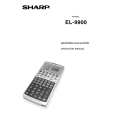 $4.99 EL9900 SHARP
Owner's Manual Complete owner's manual in digital format. The manual will be available for download as PDF file aft…
|
|
|
> |
|