|
|
|
Categories
|
|
Information
|
|
Featured Product
|
|
|
 |
|
|
There are currently no product reviews.
 ;
Great Manual. This manual is available no where else. It was exactly what I was looking for. Only in German.
 ;
This GRUNDIG UV5A Owner Manual is not only an instruction manual but a total functional circuit description of the Multimeter and includes circuit diagram at the end pages. It is very helpful for repairing and calibrating the instrument. It is written in two languages English and German for international support. It was very easy to repair my unit with this document. Regards, Regis Pauly, Electrical Engineer.
;
The owner's manual was evetything I thought it would be. I was able to print it out using both sides of the paper in quick order, saving me a search online for a used one.
;
Хорошее качество сканирования.
Мануал пришел часов эдак через 12. В целом доволен.
;
Fantastic quality and impressive delivery time. Based on this manual, I recommend this service without hesitation! Five Stars for certain.
Part Select section
1. Ring Mod (ring modulation key) This key switches modulation between parts (ring modulation) on/off. 2. Crash (crash part key) This key selects the cymbal part. When you press this key, the crash cymbal will sound. 3. H.Clap (handclap part key)
Common section
1. MASTER VOLUME This knob adjusts the volume that is output from the line out jacks and the headphone jacks. 2. AUDIO IN THRU This key allows the external audio input to be output directly from the line out jacks and the headphone jack. When this key is on, settings of the audio input part other than pan and level will be ignored.
3. Display This shows the value of the currently selected parameter, and various messages. 4. Dial Use this to modify the value shown in the display. 5. Peak LED This indicates the peak level for the input signal from the audio in jacks. Adjust the output level of your external device so that the LED lights only at the maximum level. 6. Beat LED This will blink at quarter-note intervals to indicate the tempo. 7. [v][w] (cursor keys) In each mode, use these keys to select parameters from the matrix shown in the display. 8. Matrix The parameters that will appear in the display are listed here for each mode. Use the cursor keys to make the desired parameter select LED light.
9
2.Front and rear panel
��������������������������������������
1 4
4. PERCUSSION SYNTHESIZER 1...4 (percussion synthesizer part keys) 5. AUDIO IN 1, 2 (audio in part keys) 6. HI-HAT [Close, Open] (hi-hat part key) This key selects the hi-hat part. When you press this key, the hi-hat will sound. 7. ACCENT (accent part key) This key selects the accent part.
2.Front and rear panel
2
3
5
6
7
This key selects the handclap part. When you press this key, the handclap will sound.
These keys select the percussion synthesizer parts. When you press one of these keys, a percussion synthesizer part will sound.
These keys select the audio in parts. When you press one of these keys, an external audio input will be heard.
1 2 7 3 5 6 4
89
10
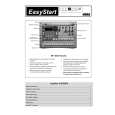 $4.99 ER-1 KORG
Quick Start Quick start guide ( sometimes called quick guide ) contains most important information on how to use…
|
|
|
> |
|