|
|
|
Categories
|
|
Information
|
|
Featured Product
|
|
|
 |
|
|
There are currently no product reviews.
 ;
My first manual from Owner-Manuals.com but not the last! I am very satisfied with the easy ordering and promt delivery of a manual I did not find anywhere else.
 ;
This manual is very helpfull to use the Power Supply. All technical information has been available.
For service use the circuit diagrams are very good.
Thanks .
;
Very comprehensive document which is a must-have for any Satellit 2100 owner whose set up is somewhat intricate. Due to the bad quality of the pictures that are rather dark and a bit blurred I gave 4-star feedback.
;
The manual was missing 2 pages but when I presented the problem to the company they made every attempt to get the 2 pages to me, when they couldn't they refunded my money. A very pleasing and easy transaction. The manual they provided was the original, it was concise and to the point. I plan to do business with this company again when should the need arise.
;
The owners manual is very good. all my how to questions were answered in detail.
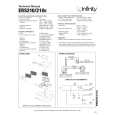
EXISTING CONSTRUCTION
ERS 110II, ERS 110DT, ERS 310 ERS 210II, ERS HV250
1. Remove the plastic paint shield from the speaker frame.
2. Determine the correct speaker location. Note: Use the included template when cutting the drywall.
1. Remove the plastic paint shield from the speaker frame.
2. Determine the correct speaker location. Note: Use the included template when cutting the drywall.
�1/2"
�1/2" �1/2" �1/2"
�1/2"
�1/2"
3. Note: Always allow at least one-half inch between a wall stud and the speaker cutout or the locking tabs will not be able to swivel into place.
4. Cut the drywall.
3. Note: Always allow at least one-half inch between a wall stud and the speaker cutout or the locking tabs will not be able to swivel into place.
4. Cut the drywall.
5. Connect the speaker wires to the speaker.
6. Place the frame assembly in the wall.
5. Connect the speaker wires to the speaker.
6. Place the speaker assembly in the wall.
7. Screw down each of the four Phillips head screws.The locking tabs will swivel into place and secure the unit to the rear surface of the drywall.
8. Attach the metal grille.
7. Screw down each of the six Phillips head screws.The locking tabs will swivel into place and secure the unit to the rear surface of the drywall.
8. Attach the metal grille.
ERS IN-WALL SPEAKERS
5
|
|
|
> |
|