|
|
|
Categories
|
|
Information
|
|
Featured Product
|
|
|
 |
|
|
There are currently no product reviews.
 ;
as a first-time user and buyer from this site, i found the overall service outstanding!! this product is a godsend as, without it, i would never have been able to find my way around and use my machine as intended. i will certainly use this site again as required. many many thanx!!
;
This manual is exactly what I needed. This site always has every manual I need, and it is also much less expensive then most other sites. This is the only manual site I will use.
 ;
Useful manual, good scan, worth the pay if you find the unit difficult to operate.
;
Exactly as described, the full user-manual (145 pages). Perfect.
MAINTENANCE AND CLEANING
APPLIANCE EXTERIOR AND CONTROL PANEL
� � � Clean using normal household cleaner (do not use abrasive products). Dry with a soft cloth. Clean with a damp cloth when necessary.
DOOR SEAL DISPENSER CLEANING INSTRUCTIONS
1. Push in the buttons on each side of the dispenser. 2. Pull the dispenser toward you and remove. A small quantity of water can remain in the soap dispenser. It is advisable to carry the dispenser in an upright position. 3. Wash the dispenser using running water. Note: The siphon caps in the dispenser are also removable for cleaning. 4. Replace the siphon caps in the dispenser (if removed). Make sure that they lock in place. 5. Replace the dispenser by locating the bottom tabs in the door holes and pivot until both of the upper buttons lock.
WATER INLET HOSE(S)
� Periodically check the hose for brittleness and cracks and replace if necessary.
WATER HOSE MESH FILTERS
� Check and clean regularly. For appliances with safety hose 1. Unplug the appliance. 2. Turn off the tap. 3. Unscrew the hose from the tap. 4. Clean the mesh filter carefully under running water without removing it. 5. Screw the hose connection back onto the tap by hand. 6. Unscrew the hose from the appliance. 7. Remove the filter from the appliance connection with pliers and clean it. 8. Refit the filter and screw the hose connection to the appliance. 9. Turn on the tap to check that the connections are completely watertight. 10. Plug in the appliance to the electrical outlet. For appliances with Water Stop hose 1. Unplug the appliance. 2. Turn off the tap. 3. Unscrew the hose from the tap. 4. Remove the loose mesh filter only and clean it. 5. Refit the filter and screw the Water Stop hose connection to the tap. 6. Turn on the tap to check that the connections are completely watertight. 7. Plug in the appliance to the electrical outlet. 27
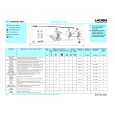 $4.99 EV 8042 LADEN
Quick Start Quick start guide ( sometimes called quick guide ) contains most important information on how to use…
|
|
|
> |
|