DVR-745H-S/TLXV Quantity: 1
$4.99
» View Details
LD2450 Quantity: 1
$4.99
» View Details
SFX2400 Quantity: 1
$4.99
» View Details
CCG529C Quantity: 1
$4.99
» View Details
KEBC207KBL05 Quantity: 1
$4.99
» View Details
SX-828FVZW Quantity: 1
$4.99
» View Details
L50HL Quantity: 1
$4.99
» View Details
889.071 7/40752 Quantity: 1
$4.99
» View Details
CT-W630R Quantity: 1
$4.99
» View Details
MDMT702HBL2 Quantity: 1
$4.99
» View Details
L50MGRN Quantity: 1
$4.99
» View Details
LE6880XTG1 Quantity: 1
$4.99
» View Details
KSSS42QMX01 Quantity: 1
$4.99
» View Details
CGC4009X Quantity: 1
$4.99
» View Details
MPKPHB Quantity: 1
$4.99
» View Details
KTRP22KGWH00 Quantity: 1
$4.99
» View Details
GD5NHGXKQ02 Quantity: 1
$4.99
» View Details
KUDI01FLSS1 Quantity: 1
$4.99
» View Details
CTV1410 Quantity: 1
$4.99
» View Details
KD750 Quantity: 1
$4.99
» View Details
CDX-C880 Quantity: 1
$4.99
» View Details
CTV2012 Quantity: 1
$4.99
» View Details
DSiG456BKN Quantity: 1
$4.99
» View Details
MH3184XPS2 Quantity: 1
$4.99
» View Details
AR-M318 Quantity: 1
$4.99
» View Details
KX-TCD705RUM Quantity: 1
$4.99
» View Details
51TC311D FOTON Quantity: 1
$4.99
» View Details
GSI 4995 CTW-IN Quantity: 1
$4.99
» View Details
4348 Quantity: 1
$4.99
» View Details
SF2200 (PRIVILIEG) Quantity: 1
$4.99
» View Details
PDP-50FXE10 Quantity: 1
$4.99
» View Details
TXLR552 Quantity: 1
$4.99
» View Details
LVS667 Quantity: 1
$4.99
» View Details
Sub-Total: $164.67
 
English Polski Spanish 
Search For a Manual
 

(e.g. AA-V20EG JVC, ZX-7 Sony )
PayPal 1000+ rating Secure, Encrypted Checkout.
 
Categories
Information
Featured Product
Home >> CASIO >> EX-S2 User Guide
 
 33 item(s) in your cart 

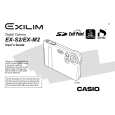
CASIO EX-S2
User Guide


Tweet about this product and get $1.00 of store credit for instant use!
  • Download
  • PDF Format
  • Complete manual
  • Language: English
Price: $4.99

Description of CASIO EX-S2 User Guide

It's a complete guide ( also known as operating manual or owner's manual), and it's in PDF format. After placing order we'll send You download instructions on Your email address.

The manual is available in languages: English

Not yet ready
You must purchase it first

Customer Reviews
There are currently no product reviews.

Text excerpt from page 58 (click to view)
PLAYBACK

Playing a Movie
Use the following procedure to play back a movie recorded in the movie mode.

� You can perform the following operations while a movie is playing.
To do this: Fast forward or fast reverse the movie Pause and unpause movie playback Skip forward or back one frame while paused Cancel playback Adjust audio volume (EX-M2 only) Do this: Hold the controller left or right. Click the controller. Rock the controller left or right. Press MENU. Rock the controller up or down.

1. In the PLAY mode,
rock the controller left or right until the movie you want to play is displayed.

Movie icon

2. Click the controller.
� This start playback of the movie.

IMPORTANT! � A movie plays until the end and then stops. You cannot repeat-play a movie. � Audio volume can be adjusted only when playback is being performed or is paused. � When you have the LCD remote controller connected to the camera, audio is output through the stereo headphones (page 97) instead of the camera�s speaker. Output through the headphones is monaural. � The volume of audio recorded with the camera cannot be adjusted using the LCD remote controller. Use the camera�s controller to adjust volume level in this case.

58
You might also want to buy

$4.99

EXS2 CASIO
Owner's Manual

Complete owner's manual in digital format. The manual will be available for download as PDF file aft…
>
Parse Time: 1.245 - Number of Queries: 227 - Query Time: 0.74