IW1209.2W Quantity: 1
$4.99
» View Details
ZAC77 Quantity: 1
$4.99
» View Details
6050K-wn Quantity: 1
$4.99
» View Details
D202/A Quantity: 1
$4.99
» View Details
SHB6101/27 Quantity: 1
$4.99
» View Details
ET8WWKXKQ01 Quantity: 1
$4.99
» View Details
TC21S3R Quantity: 1
$4.99
» View Details
KSRJ25CNWH00 Quantity: 1
$4.99
» View Details
RC593 Quantity: 1
$4.99
» View Details
C2117T Quantity: 1
$4.99
» View Details
QSG755 Quantity: 1
$4.99
» View Details
BHDH4000AS0 Quantity: 1
$4.99
» View Details
DCD860 Quantity: 1
$4.99
» View Details
5301E-W Quantity: 1
$4.99
» View Details
BGX131V-2AZT Quantity: 1
$4.99
» View Details
RJP952 Quantity: 1
$4.99
» View Details
Sub-Total: $79.84
 
English Polski Spanish 
Search For a Manual
 

(e.g. AA-V20EG JVC, ZX-7 Sony )
PayPal 1000+ rating Secure, Encrypted Checkout.
 
Categories
Information
Featured Product
Home >> CASIO >> EX-Z600 User Guide
 
 16 item(s) in your cart 

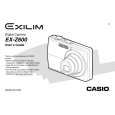
CASIO EX-Z600
User Guide


Tweet about this product and get $1.00 of store credit for instant use!
  • Download
  • PDF Format
  • Complete manual
  • Language: English
Price: $4.99

Description of CASIO EX-Z600 User Guide

It's a complete guide ( also known as operating manual or owner's manual), and it's in PDF format. After placing order we'll send You download instructions on Your email address.

The manual is available in languages: English

Not yet ready
You must purchase it first

Customer Reviews
There are currently no product reviews.

Text excerpt from page 154 (click to view)
FILE MANAGEMENT

3. Use [ ] and [ ] to
select �Save�, and then press [SET].
� This displays the names of the files in built-in memory or on the loaded memory card.

4. Use [ ] and [ ] to select the file you want to
copy to the FAVORITE folder.

5. Use [ ] and [ ] to select �Save�, and then
press [SET].
� This copies the displayed file to the FAVORITE folder.

NOTE � Copying an image file with the above procedure creates a 320 � 240-pixel QVGA-size image in the FAVORITE folder. � A file copied into the FAVORITE folder is automatically assigned a file name that is a serial number. Though the serial number starts from 0001 and can go as high as 9999, the actual upper end of the range depends on built-in memory capacity. Remember that the maximum number of images that can be stored in built-in memory depends on the size of each image and other factors. IMPORTANT! � Note that an image that has been copied to the FAVORITE folder and then resized cannot be returned to its original size. � Files in the FAVORITE folder cannot be copied to a memory card.

6. After copying all of the files you want, use [ ]
and [ ] to select �Cancel�, and then press [SET] to exit.

154
You might also want to buy

$4.99

EXZ600 CASIO
Owner's Manual

Complete owner's manual in digital format. The manual will be available for download as PDF file aft…
>
Parse Time: 0.64 - Number of Queries: 159 - Query Time: 0.38



