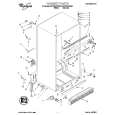
A comprehensive Operating and Service Manual. All schematics are complete and easy to read. The PCB drawings and complete parts list are very helpful. I would definitely recommend this manual.
Genuine Toshiba owner's manual. Couldn't really ask for more. And written in understandable English in contrast to a few recent experiences I have had with manuals for other equipment other than Toshiba but made in China and written in "Chinglish"!
I purchased a vintage Sony mixer off eBay and within the hour was able to locate and purchase the manual for it.I mean really,where else can you find a manual for a product made in 1983!? It was easy to find and purchase/download the manual I needed.I will use this site again for other equipment I have! Great site!
manual de usuario perfecto y completo de buena calidad de impresion y muy detallado ideal !
Text excerpt from page 13 (click to view)
3. Funktions-Taste 2 drücken. Die LED-Anzeige der Funktions-Taste 2 blinkt. Das Multidisplay zeigt die momentane Einstellung an:
0d 1d
Klarspülerzulauf bei 3in1 ausgeschaltet (Voreinstellung ab Werk) Klarspülerzulauf bei 3in1 eingeschaltet
4. Drücken der Funktions-Taste 2 schaltet die Klarspülerzugabe ein bzw. aus. 5. Zeigt das Multidisplay die gewünschte Einstellung an, EIN/AUS-Taste drücken. Die Einstellung ist dann gespeichert.
Signalton ein-, ausschalten
Sie können einstellen, ob zusätzlich zu den optischen Anzeigen (z.B. bei Programmende, Fehlern) ein Signalton zu hören sein soll. 1. EIN/AUS-Taste drücken.
3
Falls nur die LED-Anzeige einer Programmtaste leuchtet, ist dieses Spülprogramm aktiviert. Das Spülprogramm muss abgewählt werden: Funktionstasten 1 und 2 für ca. 2 Sekunden gleichzeitig drücken. Die LED-Anzeigen aller jetzt anwählbaren Programmtasten leuchten.
2. Funktions-Taste 1 und 2 gleichzeitig drücken und gedrückt halten. Die LED-Anzeigen der Funktions-Tasten 1 bis 3 blinken. 3. Funktions-Taste 3 drücken. Die LED-Anzeige der Funktions-Taste 3 blinkt. Das Multidisplay zeigt die momentane Einstellung an:
0b 1b
Signalton ausgeschaltet Signalton eingeschaltet (Voreinstellung ab Werk)
4. Drücken der Funktions-Taste 3 ändert die Einstellung. 5. Zeigt das Multidisplay die gewünschte Einstellung an, EIN/AUS-Taste drücken. Die Einstellung ist dann gespeichert.