|
|
|
Categories
|
|
Information
|
|
Featured Product
|
|
|
 |
|
|
There are currently no product reviews.
 ;
This is exactly what I needed This was a hard one to find and I had already downloaded several for other Panasonic radios but none matched my radio.
Although my radio is the LBE model the LBS is the same.
A very good quality manual with every thing you should get in it
;
el manual es correcto , completo y de buena calidad aunque algun esquema esta excesivamente diseccionado.
;
muy buen manual con multiples graficos y formas de onda ademas de muy completo y bien presentado.
 ;
As Always these people were very rapid and efficient. A great job helping hobbiest and workers!!! Thank you a lot!
;
Excellent printing quality.
A complete and very usefull service manual with all details.
GREAT SERVICE AT VERY LOW PRICE!
A+++++++++++++++++++++++++
FH-P404
OPTION
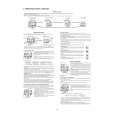
Listening to a CD with Multi CD
This is all you have to do to listen to a CD on a separately sold Multi CD Player.
This is a function when Multi CD Players are connected. When two or more Multi CD Players are connected: Press the BAND Button to select the one you want to use.
OFF
4
VOLUME
FH-P404
CD TUNER DECK AMP
HIGH POWER 40Wx4
CD EJECT
F
SEL
A
2,3
DOLBY B NR
TRK / SEEK
DISC / CH
P
PGM
AUTOMATIC CASSETTE LOADING & EJECTION
EJECT
SEL
AUDIO FUNCTION
S/A
ATT
D
DISPLAY
DIRECT EQ
CLOCK
ESC BAND
A
F
ATT
1
2
3
4
5
6
VOLUME
SOURCE
1
4 1,5 2,3 1
Change the sound source to Multi CD.
Press the SOURCE or CD Button.
(Multi CD begins to play.) When two or more MULTI CD Players are connected, press the BAND button to select the Multi CD you want to hear. Press it continuously (more than 0.5 seconds). Release it where you want to hear the music
EQUALIZER CURVE TRK CD MCD
DISC
Track Number
Elapsed Time CD Number
2
Select the CD you want to hear.
Press the 5 or the � button.
5 : To select the next CD � : To select the previous CD
4
Adjust the volume.
Press �+� or ���.
+ : To raise the volume � : To lower the volume It can adjust the volume within a range of 0 to 30. (The display shows the volume for about 4 seconds.)
3
Select the track you want to hear.
Press the 2 or the 3 button.
3 : To select the next track 2 : To select the previous track It switches each time it is pressed (less than 0.5 seconds). Press it a number of times equal to the tracks you want to skip.
5
Stop Multi CD replay.
Press the SOURCE Button. Press the SOURCE Button for more than 1 second.
(Power turns off.) (Another source is selected.)
You can change the sound source or turn off the power with the remote controller.
Fast Forward/Fast Reverse
Press the 2 or the 3 button.
3 : Fast forward 2 : Fast reverse
90
|
|
|
> |
|